Payment terms give Brisk a reusable rule for when a transaction becomes due and, when used, the discount period or late-fee percentage. Create a term before assigning it to a vendor or transaction. Vendor invoice entry uses the selected term length to calculate the due date.
Find and review payment terms
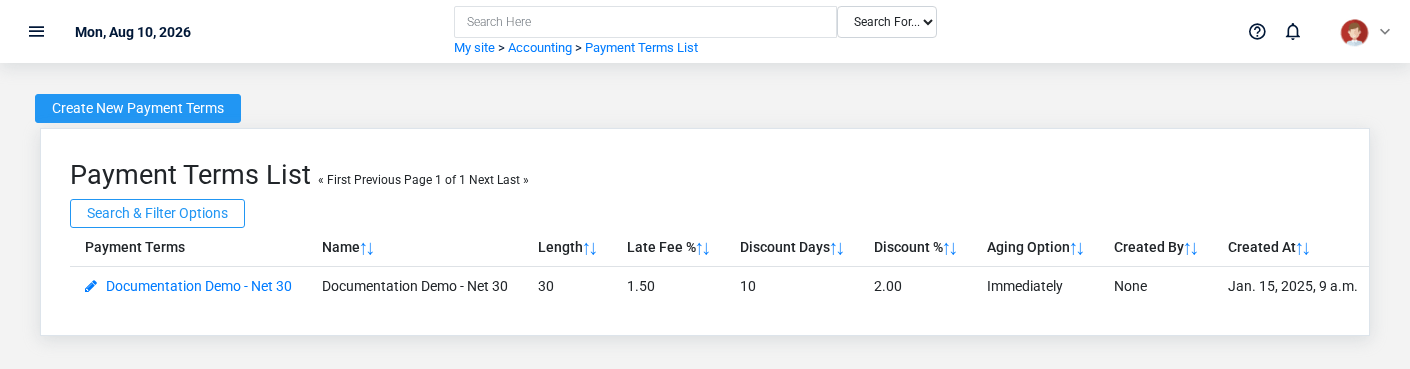
The Payment Terms list screen in the Brisk documentation demo.
Open **Accounting → Payment Terms**. Review the name first, then open a term to inspect its timing and percentage settings. A name such as “Net 30” should describe the rule clearly enough for transaction-entry users to choose it correctly.
Create payment terms
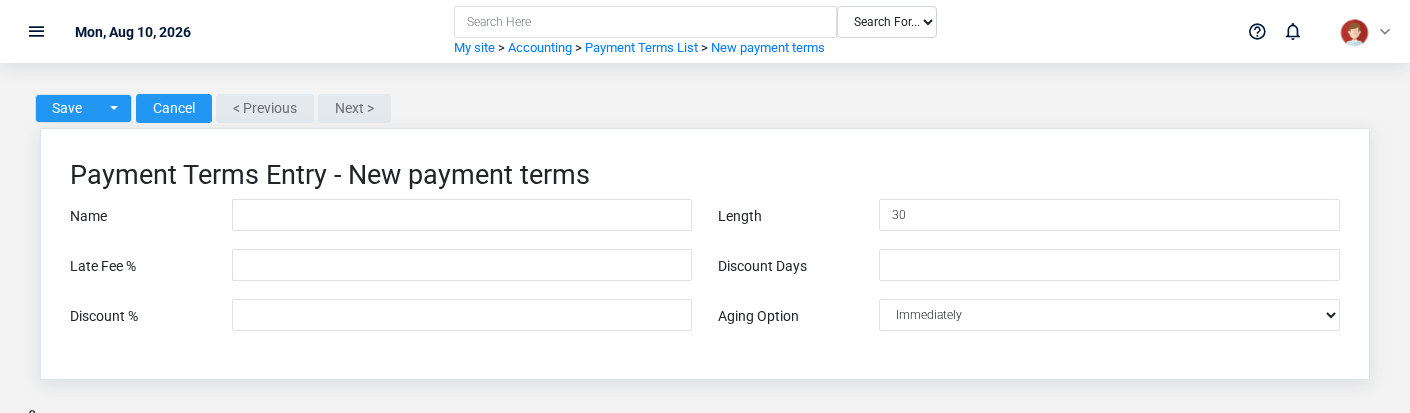
The Payment Terms create screen in the Brisk documentation demo.
1. Select **Create** from the Payment Terms list.
2. Enter a distinctive **Name** and the number of days in **Length**.
3. If the business offers a prompt-payment discount, enter both **Discount Days** and **Discount %**.
4. Enter **Late Fee %** only when that policy is meant to apply.
5. Choose whether aging begins **Immediately** or at **End of Month**, then save.
View payment-term details
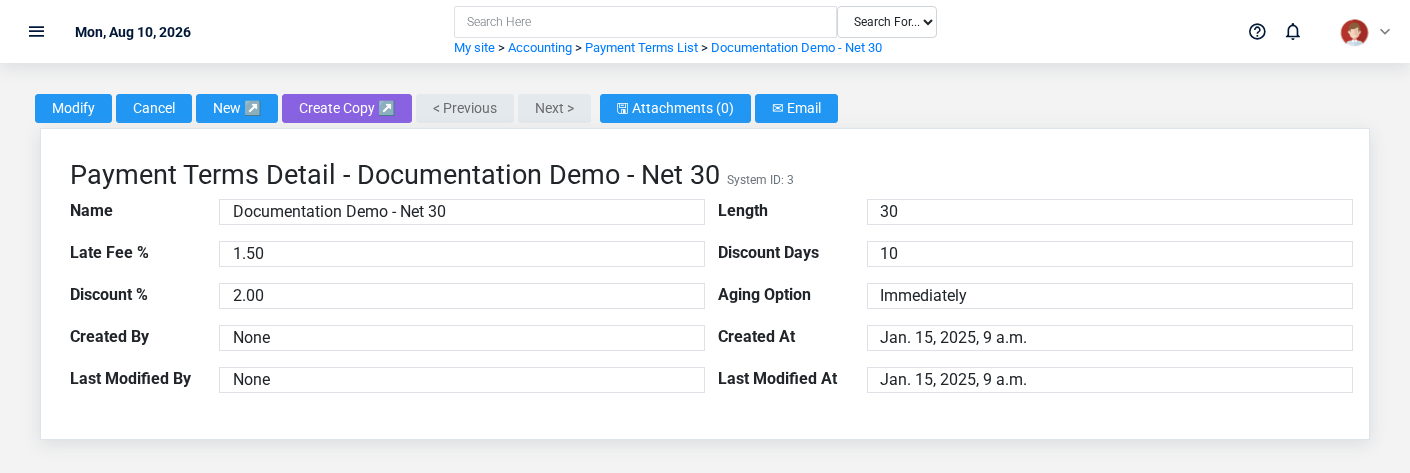
The Payment Terms detail screen in the Brisk documentation demo.
The detail page shows the saved rule. Check the length and aging option before relying on the term for due-date or aging work; discount settings are meaningful as a pair.
Edit payment terms
Open the term and choose **Update**. A changed length affects calculations performed after the change; confirm the intended treatment of existing open transactions with your accounting manager before changing a term in active use.
Delete payment terms
Deletion can be blocked when another protected record refers to the term. Prefer correcting or replacing the assignment before deleting shared setup data.
Fields and business rules
| Field | Meaning |
|---|---|
| Name | Label users see when selecting the rule. |
| Length | Days before a transaction is past due; vendor invoice due-date calculation uses this value. |
| Late Fee % | Monthly finance-charge percentage for past-due transactions. |
| Discount Days / Discount % | Time window and percentage for an early-payment discount. |
| Aging Option | Starts receivable aging immediately or at the end of the month. |