# Customer Account to Collection
This workflow follows an on-account sale from its source transaction through aging, statement review, approved finance charges, safe collection, and balance application. It keeps the reason for the receivable visible while separating customer communication, provider response, settlement, and accounting application.
> **Demonstration notice:** All displayed data is fictional. Email delivery and payment-provider calls are suppressed; pending test records do not represent collected or settled funds. Finance-charge policy requires business and legal review.
Workflow at a glance
| | |
|---|---|
| **Outcome** | A customer balance reviewed and reduced through a supported application |
| **Starts with** | An authorized on-account sale |
| **Ends with** | Updated receivable history and an explained remaining balance |
| **Primary roles** | Salesperson, receivables clerk, accounting manager |
| **Brisk areas involved** | Customers, Sales, Receivables, Statements, Payments |
| **Common businesses** | Wholesale, service, parts, property and commercial accounts |
| **Approximate handoffs** | Three |
Why this workflow matters
Collections become unreliable when staff cannot connect a balance to the sale, due date, statement, charges, credits, and payment applications that produced it. Brisk retains that history under the customer instead of reducing the work to one editable balance.
Remote payments add another boundary. A request can be created, accepted, settled, and applied at different times. Staff should confirm each state rather than treating a link or uncertain response as cash.
Before you begin
Terms, contact information, and account status should be correct before extending credit.
- Required: correct customer, terms, contact information, account status, and authorized credit policy.
- Required: a finalized sale in Receivable status and a defined report cutoff.
- Required for charges: configured finance-charge group and payment-term eligibility plus management approval.
- Optional: configured sandbox email-payment provider or an authorized receivable payment plan.
End-to-end steps
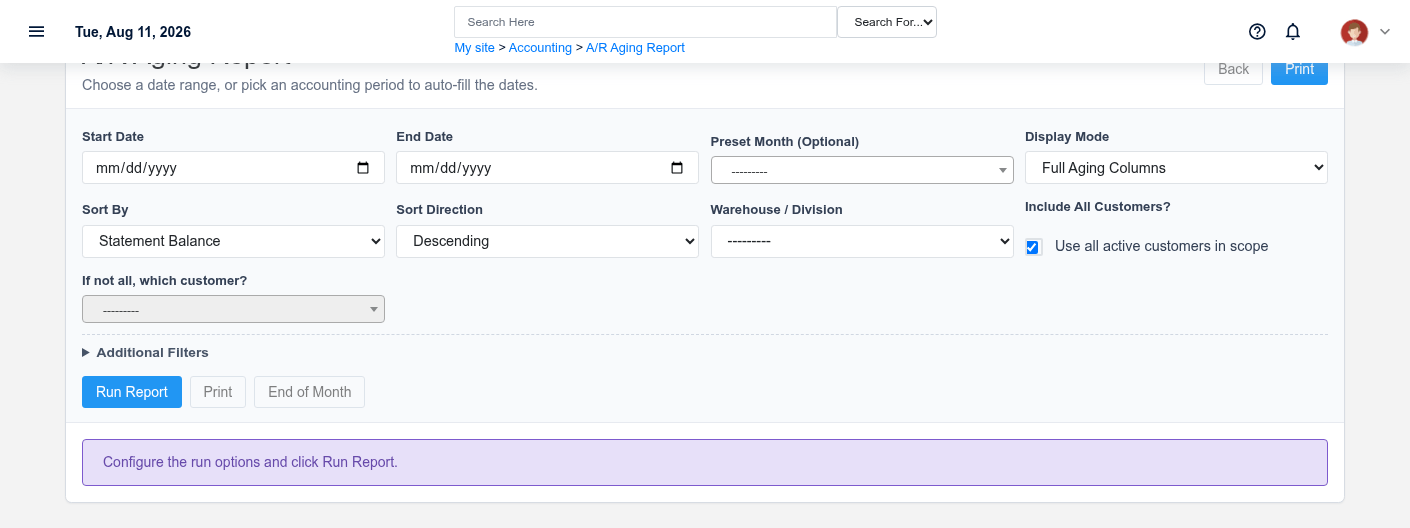
Aging separates current and overdue balances at a stated cutoff; it is not the live balance by itself.The source sale explains why the customer balance exists.
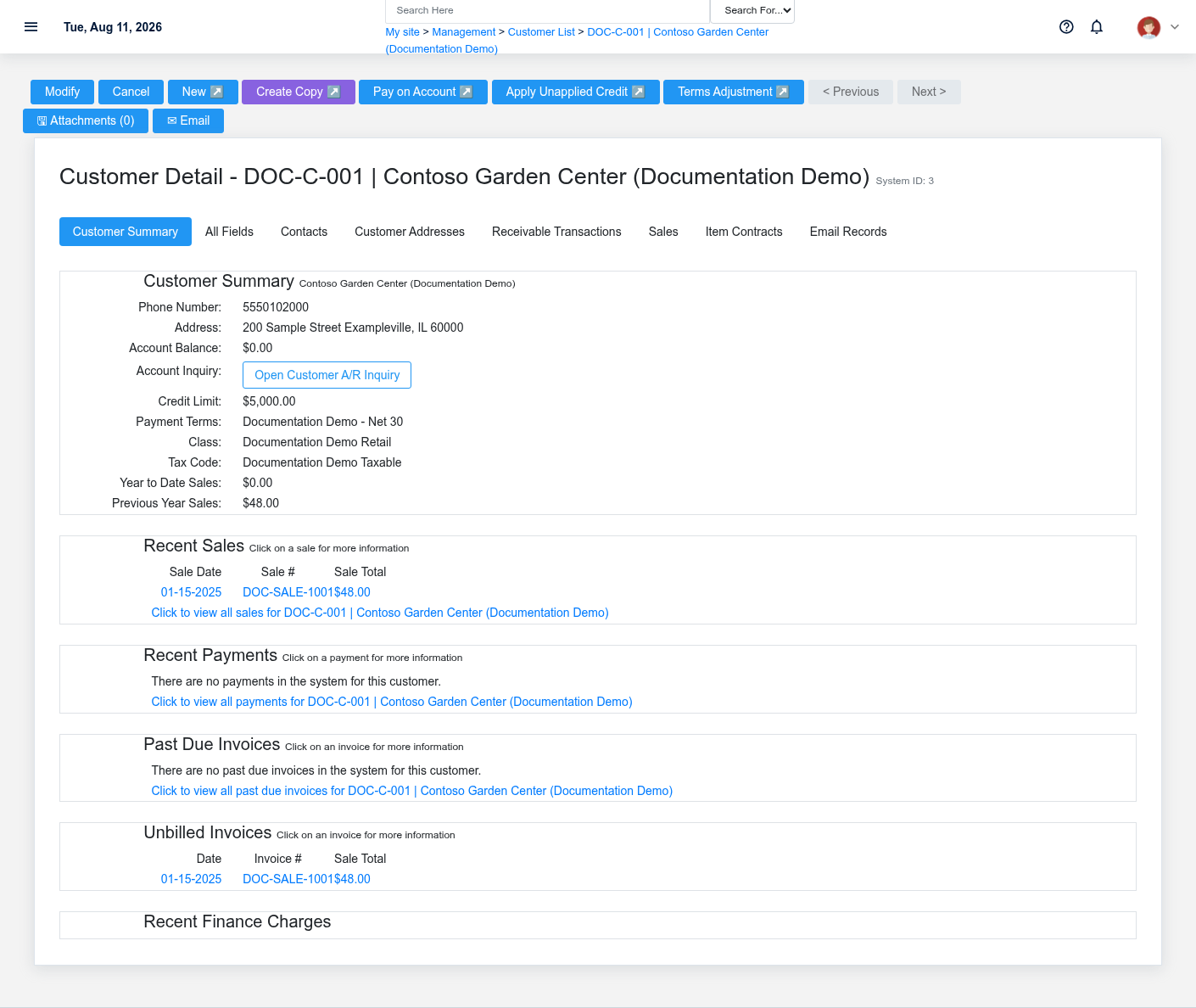
1. **Sales or credit staff — verify the customer.** Review [Customers](https://help.brisksystems.us/link/2680#bkmrk-detail), including terms, group, credit limit, email, and account status.
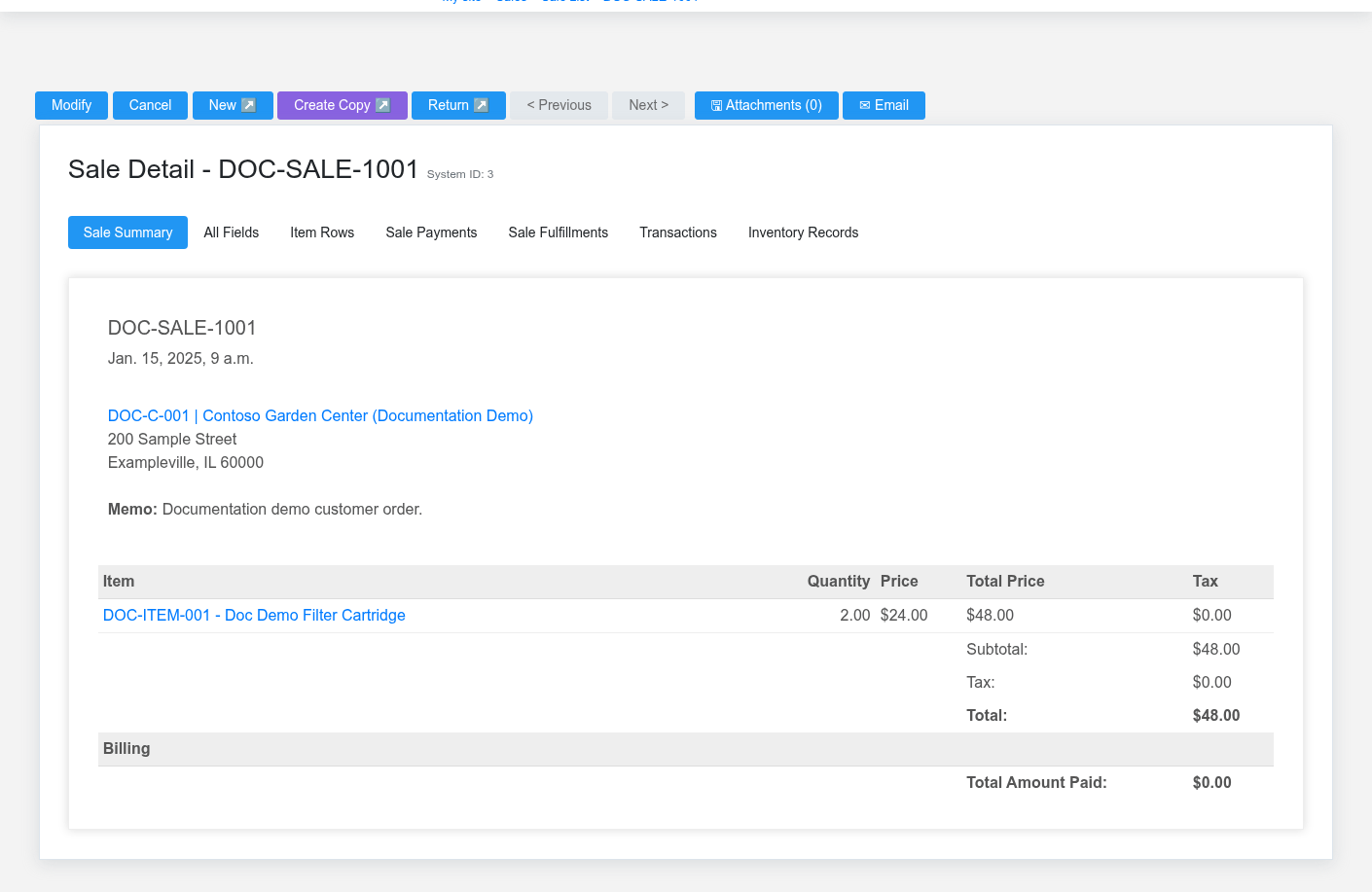
2. **Salesperson — finalize the source sale on account.** Review the [Sale](https://help.brisksystems.us/link/2746#bkmrk-detail), due-date inputs, and Receivable payment status. Confirm the obligation in [Receivable Transactions](https://help.brisksystems.us/link/2586#bkmrk-overview).
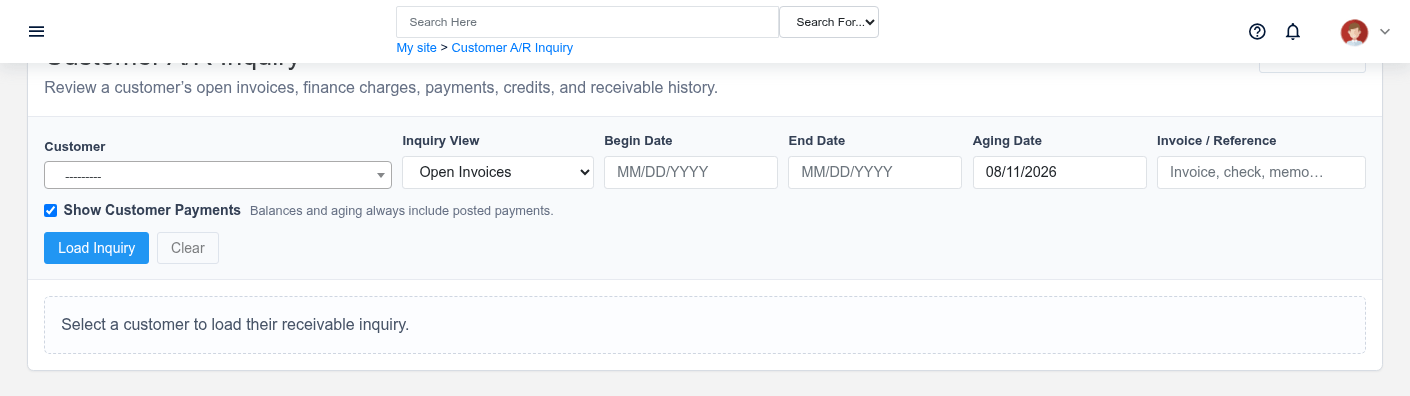
3. **Receivables clerk — review aging.** In [Receivables, Statements, and Finance Charges](https://help.brisksystems.us/link/2946#bkmrk-aging), set a defined cutoff and review current, overdue, credit, and zero-balance context together.
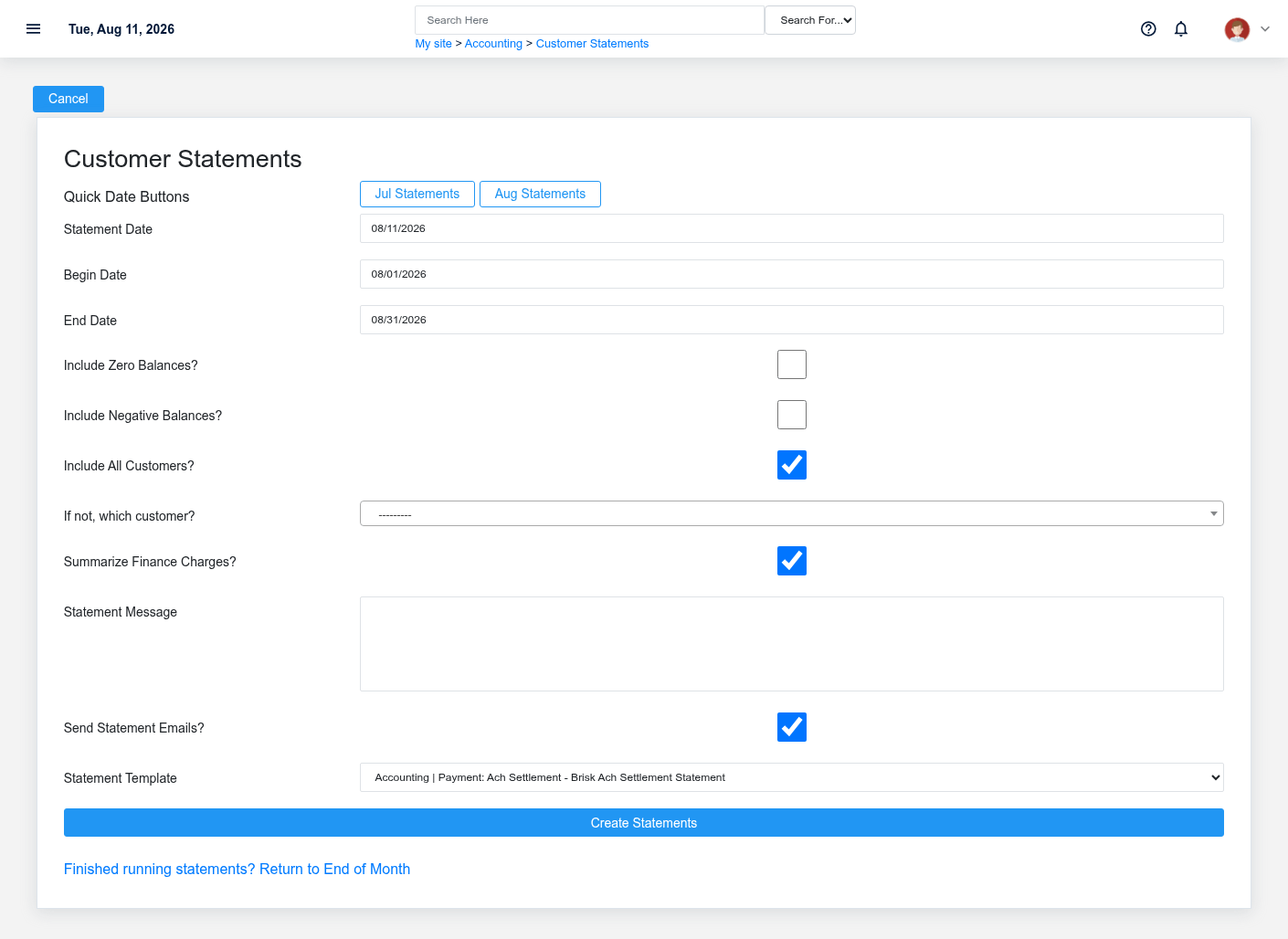
4. **Receivables clerk — preview the statement.** Choose the customer and period, inspect opening activity, invoices, payments, credits, charges, and ending balance. The fixture suppresses sending.
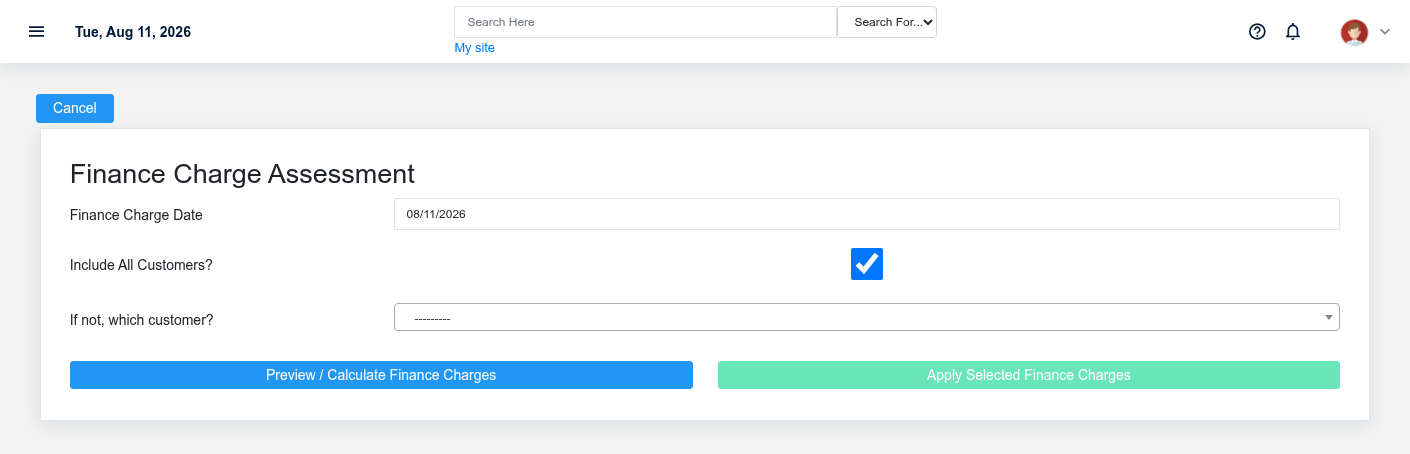
5. **Accounting manager — decide on finance charges.** Use Preview first. Apply only eligible, approved rows from the current preview token; do not use a charge to compensate for bad terms or a missing payment.
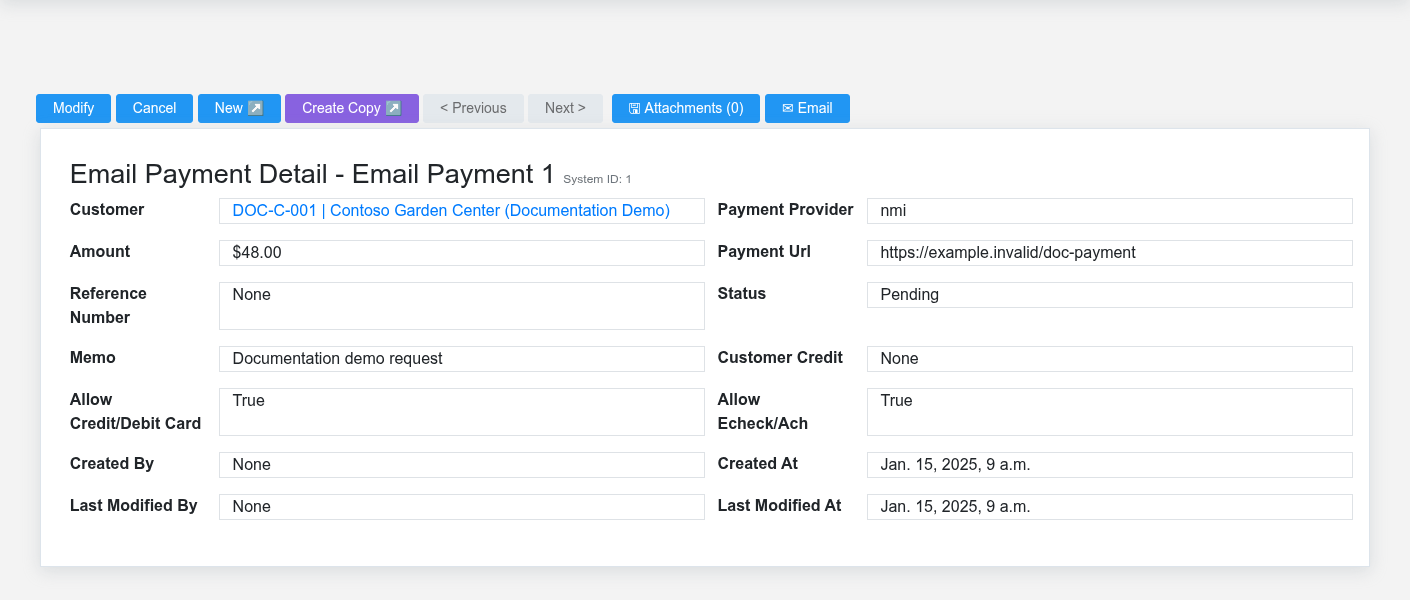
6. **Authorized collector — record the collection path.** Create a sandbox [Email Payment](https://help.brisksystems.us/link/2970#bkmrk-overview) or record a safe customer account payment. Confirm provider outcome before treating it as complete.
7. **Receivables clerk — apply and verify.** Apply the customer credit or payment to the intended receivable, then review the customer inquiry and ending balance. A [Customer Receivable Payment Plan](https://help.brisksystems.us/link/2969#bkmrk-overview) is an optional authorized branch, not the default.
What Brisk keeps connected
The preview is a decision point; policy, terms, dates, and eligibility still require review.Preview the statement before any external delivery and correct source transactions rather than its output.
| Action | Result or downstream record | Where to verify it |
|---|---|---|
| Finalize on account | Source sale and receivable obligation | Sale detail and receivable inquiry |
| Run aging or statement | Cutoff-based presentation of saved transactions | Aging report and statement preview |
| Apply a finance charge | New customer obligation when approved and applied | Applied-charge list and customer history |
| Collect and apply payment | Provider/payment record plus receivable application | Payment detail and receivable inquiry |
Handoffs and controls
The final inquiry verifies invoices, charges, payments, credits, and the remaining customer position.A saved payment request has a provider state separate from accounting application.
Sales establishes the valid obligation; receivables communicates it; management approves policy-sensitive charges; authorized payment staff verify provider results and application. The source sale and receivable transactions remain evidence. Generated statements communicate that evidence but do not alter it.
Exceptions and safe corrections
- Wrong due date or terms: correct approved setup or source data before charging.
- Statement disagrees with the customer: trace its cutoff, payments, credits, and original sale; regenerate after correction.
- Pending or failed payment: inspect provider and Brisk states before retrying.
- Incorrect posted charge: use an approved credit or adjustment that preserves history.
- Uncertain plan run: verify subscription and transaction history before another attempt.
Related documentation
### Start here
- [Customers](https://help.brisksystems.us/link/2680#bkmrk-overview)
- [Sales](https://help.brisksystems.us/link/2746#bkmrk-overview)
### Continue with
- [Receivable Transactions](https://help.brisksystems.us/link/2586#bkmrk-overview)
- [Email Payments](https://help.brisksystems.us/link/2970#bkmrk-overview)
- [Customer Receivable Payment Plans](https://help.brisksystems.us/link/2969#bkmrk-overview)
### Related controls and reports
- [Receivables, Statements, and Finance Charges](https://help.brisksystems.us/link/2946#bkmrk-overview)