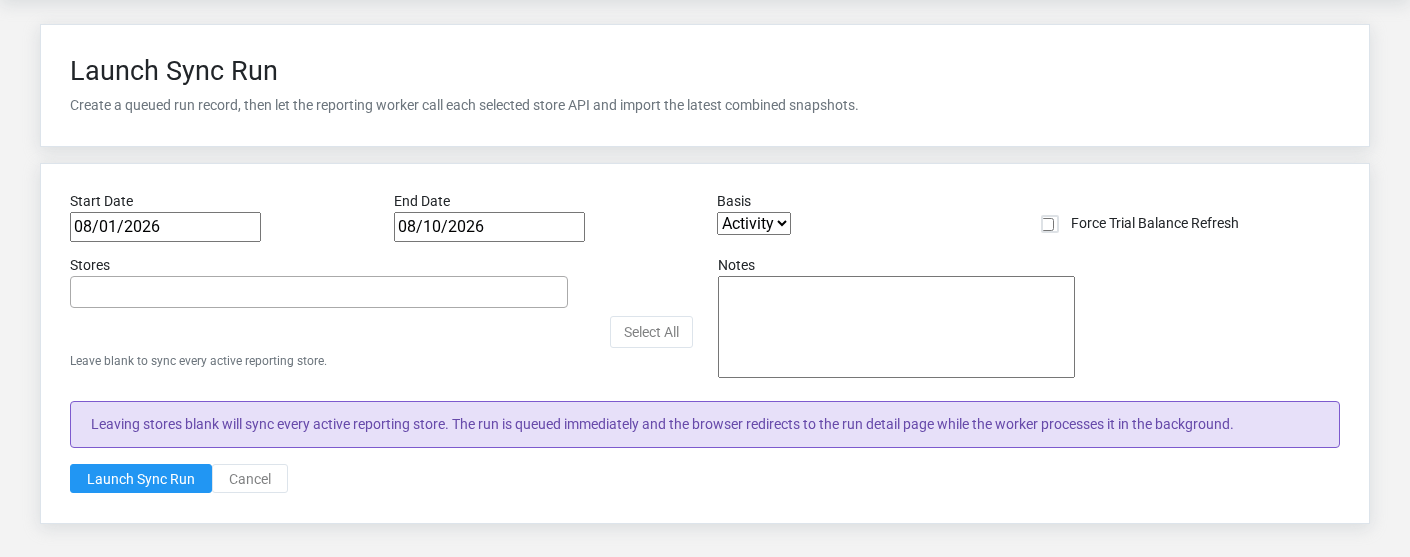
The Sync Runs overview screen in the Brisk documentation demo.The Sync Runs overview screen in the Brisk documentation demo.The Sync Runs overview screen in the Brisk documentation demo.The Sync Runs overview screen in the Brisk documentation demo.
Request and monitor a multi-store reporting refresh for a date range and activity or ending-balance basis.
## At a glance
- **Identify it by:** **Start Date**, **End Date**, and **Status**.
- **Check its business context:** **Requested By**.
- **Why care:** Consolidated results are only as reliable as store connectivity, account mapping, currency/timezone setup, and the status of the latest run.
- **Why care:** Status communicates workflow progress to other staff. Change it only when the underlying work, approval, payment, or handoff has actually occurred.
## Before you begin
You need the Brisk permission for the action you are taking on sync runs. If a Create, Edit, or Delete control is absent, do not work around it with another user’s account; ask an administrator to review your role.
Find and review sync runs
The Sync Runs list screen in the Brisk documentation demo.
Use the Sync Runs list to find the correct record before opening or changing it. Compare **Start Date**, **End Date**, and **Status**. Records with similar names or numbers can still belong to different **Requested By**.
- Keyword search checks **Status**, **Notes**, and **Last Error**.
- The initial order emphasizes **Created At**. Select a column heading when you need a different comparison.
Open the Sync Run whose **Start Date**, **End Date**, and **Status** match the task. If it is missing, clear the list filters and recheck **Basis**, and **Status** rather than creating a replacement immediately.
Review Sync Run details
Use the detail page as the shared record of what this Sync Run currently means. Verify **Start Date**, **End Date**, **Basis**, and **Status** before relying on it for a decision.
Follow **Requested By** to determine whether the issue is on this Sync Run or on one of those linked records.
Next check: Review each store result and the Last Error field before relying on consolidated statements for the requested period.
## Fields and business rules
Brisk stores 10 user-relevant fields for this Sync Run, including 1 linked-record selection and 2 controlled-choice fields. Create and edit screens may hide calculated or workflow-managed values from this full reference.
| Field | Required | What it controls |
|---|---:|---|
| **Requested By** | No | The requested by associated with this run. |
| **Start Date** | Yes | Date recorded for start date on this run. |
| **End Date** | Yes | Date recorded for end date on this run. |
| **Basis** | No | The basis recorded for this run. Available values: Activity, Ending. |
| **Force Refresh** | No | Whether the force refresh option applies to this run. |
| **Status** | No | Current status of this run. Available values: Pending, Running, Success, Partial, Failed. |
| **Started At** | No | Date and time recorded for started at on this run. |
| **Finished At** | No | Date and time recorded for finished at on this run. |
| **Notes** | No | Additional internal notes about this run. |
| **Last Error** | No | The last error recorded for this run. |
## What happens next
Review each store result and the Last Error field before relying on consolidated statements for the requested period.
## Common mistakes and troubleshooting
- **The record will not save:** Recheck **Start Date**, and **End Date** and any message beside the field. A required related record may also be inactive or unavailable to your role.
- **The record saved but is not available where expected:** Recheck **Basis**, and **Status**, then clear the filters on the destination list. A saved record can still be inactive, unpublished, locked, unapproved, or in the wrong workflow state.
- **The values look right but the result is wrong:** Open **Requested By** from the detail page. Correct the specific relationship that is wrong instead of forcing a total or status to compensate for it.