Preserve an unfinished point-of-sale ticket so it can be resumed without finalizing payment or inventory effects.
## At a glance
- **Identify it by:** **Foodservice Ticket Number**.
- **Check its business context:** **Customer**, **Salesperson**, **Warehouse**, **Cashdrawer**, and **Foodservice Table**.
- **Why care:** Customer, warehouse, quantities, prices, tax, payment, and fulfillment represent different parts of the transaction. Review each before treating the sale as complete.
- **Why care:** Treat posted, processed, paid, reversed, and edit-locked states as controls—not ordinary descriptive fields. Confirm the source transaction before changing any state that the screen permits you to change.
## Before you begin
You need the Brisk permission for the action you are taking on suspended sales. If a Create, Edit, or Delete control is absent, do not work around it with another user’s account; ask an administrator to review your role.
Have valid **Customer** records ready first. Those selections determine where this Suspended Sale belongs and which later screens can find it.
Delete a Suspended Sale
Delete this Suspended Sale only when it was entered by mistake and no downstream history depends on it. Use a reversal, void, credit, counter-adjustment, or status correction for a real event that later changed.
Before confirming, check for related **Suspended Sale Items**, and **Suspended Sale Payments**. Brisk may refuse deletion when another record depends on this one; resolve the duplicate or use the supported correction workflow instead of breaking the trail.
On the confirmation page, verify **Foodservice Ticket Number**. After confirmation, return to the Suspended Sales list and make sure only the intended Suspended Sale was removed.
Find and review suspended sales
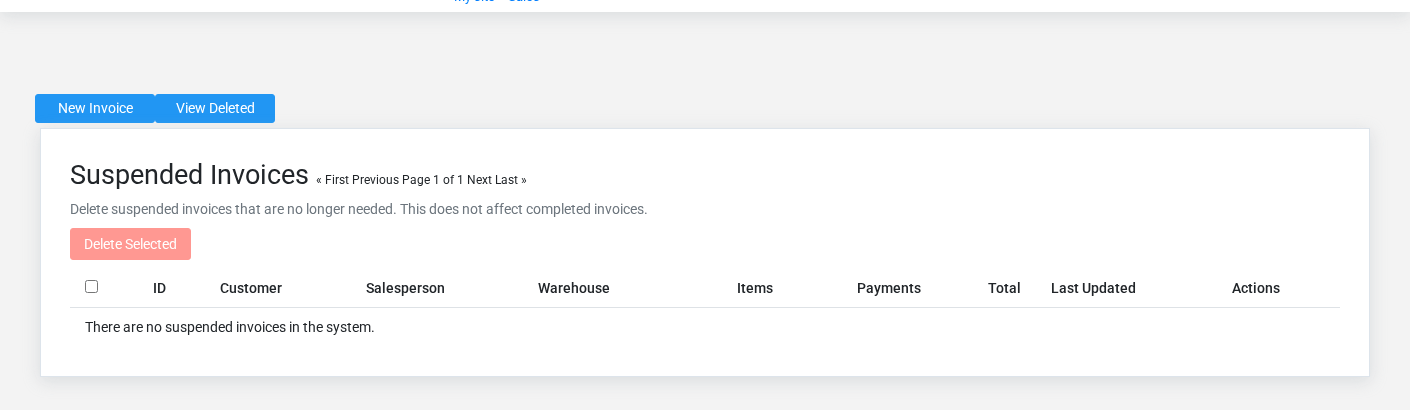
The Suspended Sales list screen in the Brisk documentation demo.
Use the Suspended Sales list to find the correct record before opening or changing it. Compare **Foodservice Ticket Number**. Records with similar names or numbers can still belong to different **Customer**, **Salesperson**, **Warehouse**, **Cashdrawer**, **Foodservice Table**, and **Foodservice Server**.
- Keyword search checks **Id**, **Display Name**, **First Name**, and **Last Name**.
- Narrow the list with **Customer**, **Salesperson**, and **Warehouse** filters.
- The date filter uses **Last Modified At**; choose a range that matches the business event you are reconciling.
Open the Suspended Sale whose **Foodservice Ticket Number** match the task. If it is missing, clear the list filters and recheck **Customer**, **Salesperson**, **Warehouse**, **Last Modified At**, and **Paid** rather than creating a replacement immediately.
## Fields and business rules
Brisk stores 16 user-relevant fields for this Suspended Sale, including 6 linked-record selections and 0 controlled-choice fields. Create and edit screens may hide calculated or workflow-managed values from this full reference.
| Field | Required | What it controls |
|---|---:|---|
| **Customer** | Yes | The customer associated with this suspended sale. |
| **Salesperson** | No | The salesperson associated with this suspended sale. |
| **Warehouse** | No | The warehouse associated with this suspended sale. |
| **Cashdrawer** | No | The cash drawer associated with this suspended sale. |
| **Subtotal** | No | The sub total value recorded for this suspended sale. |
| **Taxtotal** | No | The tax total value recorded for this suspended sale. |
| **Total** | No | The total value recorded for this suspended sale. |
| **Paid** | No | The paid value recorded for this suspended sale. |
| **Balance** | No | The balance value recorded for this suspended sale. |
| **Foodservice Mode** | No | The foodservice mode recorded for this suspended sale. |
| **Foodservice Order Type** | No | The foodservice order type recorded for this suspended sale. |
| **Foodservice Ticket Number** | No | The foodservice ticket number recorded for this suspended sale. |
| **Foodservice Notes** | No | The foodservice notes recorded for this suspended sale. |
| **Guest Count** | No | The guest count value recorded for this suspended sale. |
| **Foodservice Table** | No | The foodservice table associated with this suspended sale. |
| **Foodservice Server** | No | The foodservice server associated with this suspended sale. |
## What happens next
Resume the saved ticket from Point of Sale and finalize it once; remove stale tickets only after confirming they were not completed elsewhere.
## Common mistakes and troubleshooting
- **The record will not save:** Recheck **Customer** and any message beside the field. A required related record may also be inactive or unavailable to your role.
- **The values look right but the result is wrong:** Open **Customer**, **Salesperson**, **Warehouse**, **Cashdrawer**, **Foodservice Table**, and **Foodservice Server** from the detail page. Correct the specific relationship that is wrong instead of forcing a total or status to compensate for it.