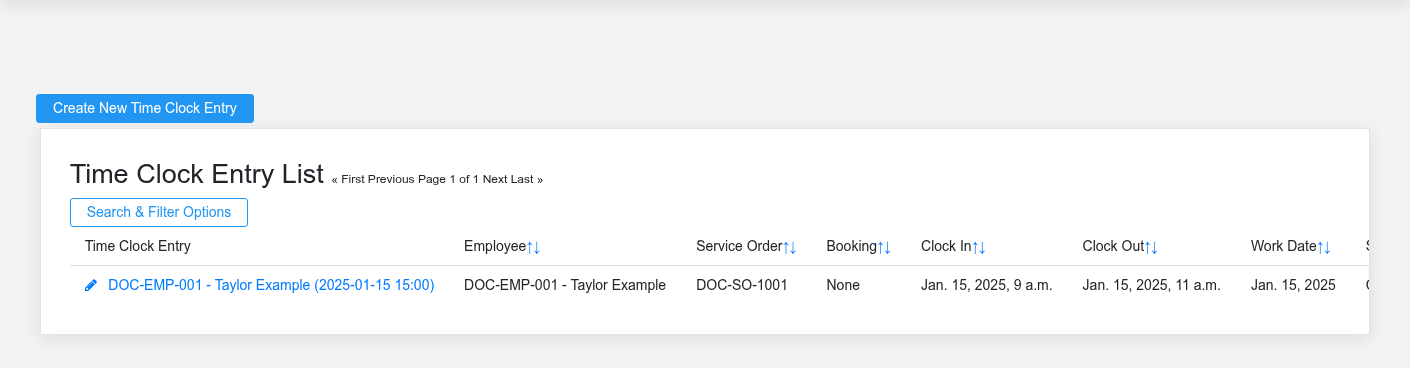
The Time workspace related to this reference article.
Time records when employees start and stop work, breaks, pay codes, and related service work. The employee-facing clock handles ordinary activity; managers correct exceptions and review a week; the underlying time-clock entry preserves the audit trail used for payroll and labor analysis.
Employee time entry
Use [Time Clock](https://help.brisksystems.us/link/2961#bkmrk-overview) to confirm the signed-in employee and current state before clocking in or out. An open entry must be closed before another clock-in can begin. If no employee is linked to the user, an administrator must correct the employee/user relationship rather than recording time under another account.
Manager review and correction
Use [Time Manager](https://help.brisksystems.us/link/2962#bkmrk-overview) to select an employee and week, review each day, add a missing punch, or correct time, break minutes, pay code, status, and notes. Use the [Time Clock Entry](https://help.brisksystems.us/link/2774#bkmrk-overview) article when reviewing a specific saved interval. Managers can export payroll time only for the departments they manage; superusers can review all departments.
Timekeeping controls
Do not “round away” unexplained gaps or overlaps. Confirm the work date, local time, overnight shift behavior, break, pay code, and whether a service order should receive the labor. Record a note for corrections according to company policy. Finish exception review before payroll is calculated so payroll does not become the place where timekeeping errors are hidden.