
Service Request to Paid Invoice
This workflow follows a reported service problem through the service order, booking, dispatch, technician activity, office review, billing, and payment. The office and technician continue from connected customer, equipment, schedule, time, parts, labor, and billing records instead of rebuilding the job at each handoff.
Demonstration notice: Every person, location, item, identifier, amount, and transaction is fictional. Mobile alerts and payments are suppressed or simulated; no message or processor request is sent.
Workflow at a glance
| Outcome | Completed service work reviewed, billed, and paid or placed on account |
| Starts with | A verified customer, service subject, and reported issue |
| Ends with | Billing/payment state and retained customer service history |
| Primary roles | Service coordinator, dispatcher, technician, billing clerk |
| Brisk areas involved | Service, Dispatch, Time, Inventory, Sales, Accounting |
| Common businesses | Equipment, HVAC, appliance, motor, and general repair |
| Approximate handoffs | Four |
Why this workflow matters
Service work loses context when intake notes, a schedule, technician time, parts, and the invoice live in separate places. The Service Order retains the work content while bookings coordinate when and by whom it should be performed.
Billing remains a deliberate office handoff. A completed technician visit is not automatically a paid invoice, and a timer entry is not necessarily approved billable time.
Before you begin
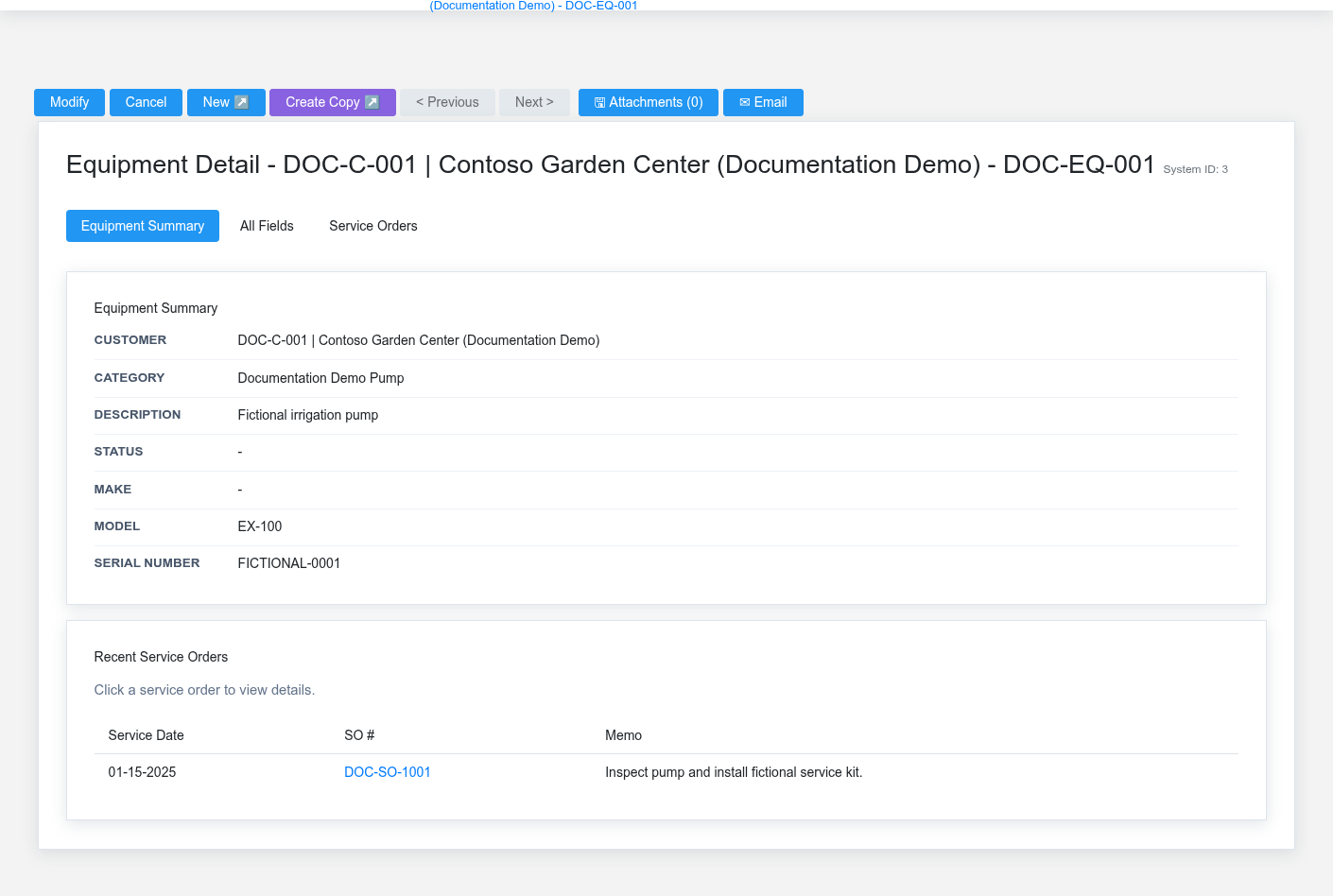
- Required: customer, service location/context, equipment when used, service category/status, warehouse, and authorized service staff.
- Required for dispatch: active Technician linked to the employee/user and valid working hours.
- Required for billing: reviewed parts, labor, tax, price, and payment terms.
- Optional: mobile alerts, customer equipment, timer use, sandbox payment provider.
End-to-end steps
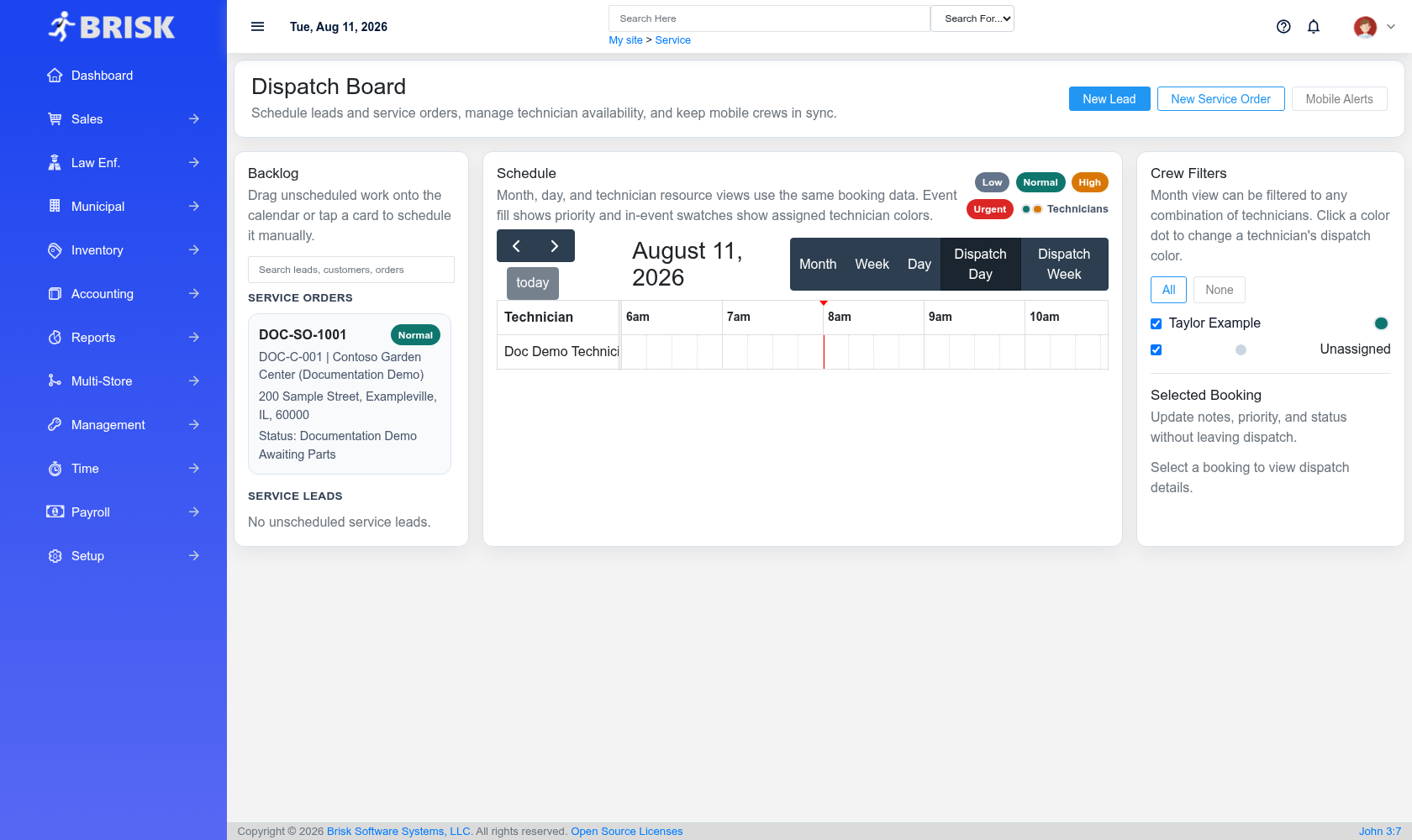
- Coordinator — verify context. Open Customers and Equipment. Confirm the fictional unit, location, history, issue, and approved scope.
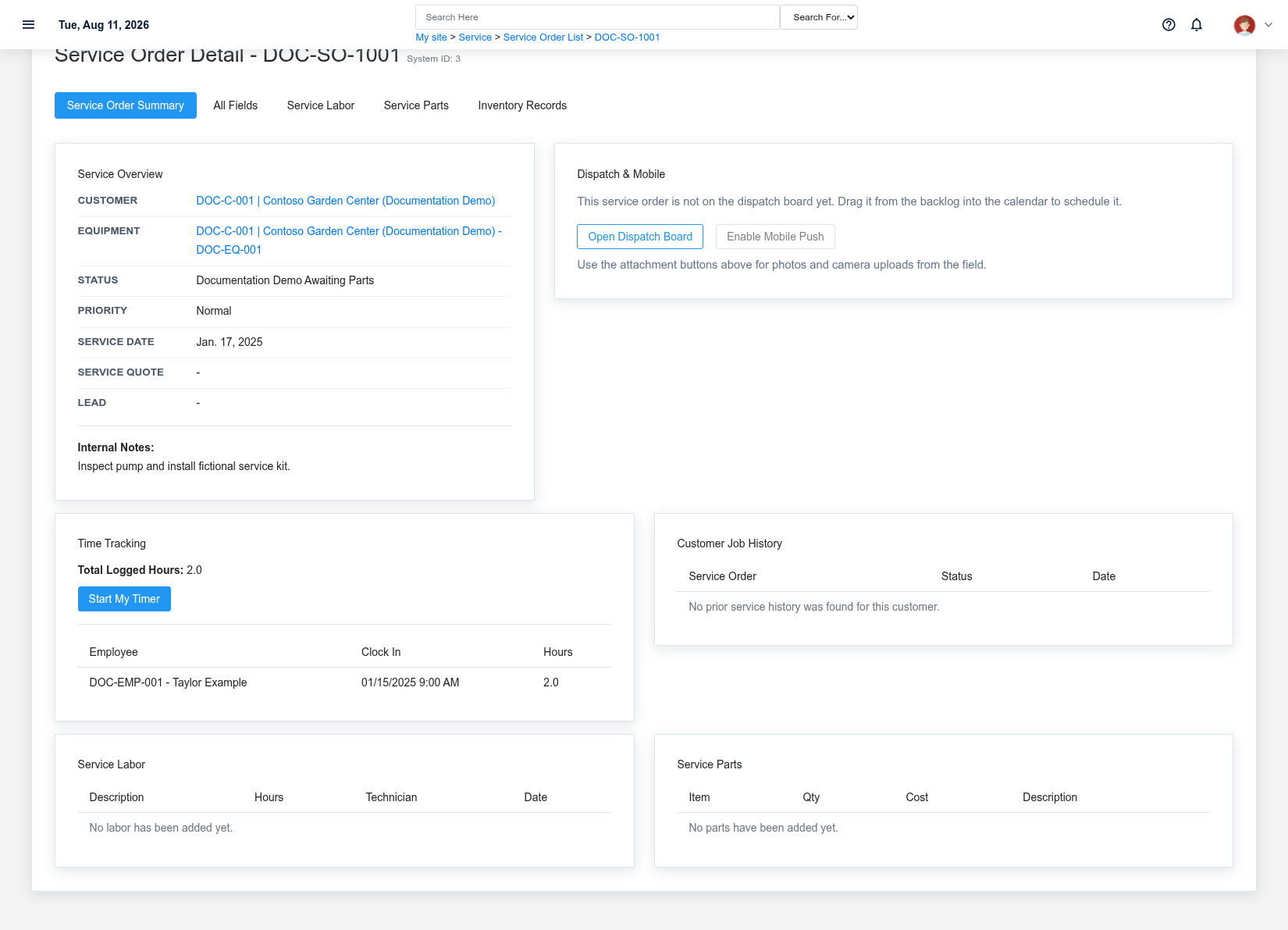
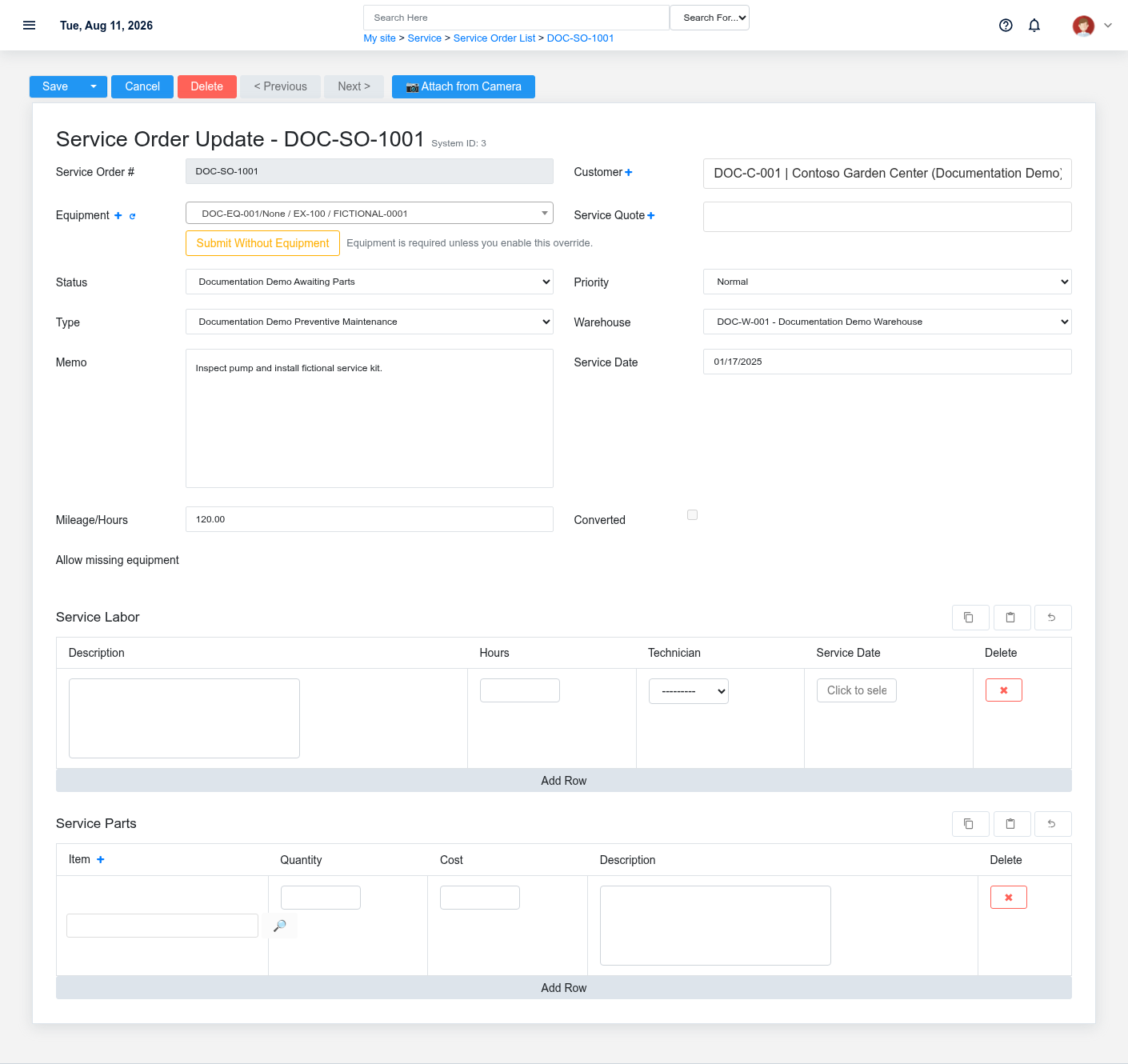
- Coordinator — create the Service Order. Enter the customer, equipment, warehouse, category, priority, memo, and current Service Status. DOC-SO-1001 is Awaiting Parts; it is not yet completed or invoiced.
- Dispatcher — create and assign a Booking. Use the Dispatch Board to set the supported date/time and technician. Review dispatch notes and alert state; the documentation fixture does not send a real alert.
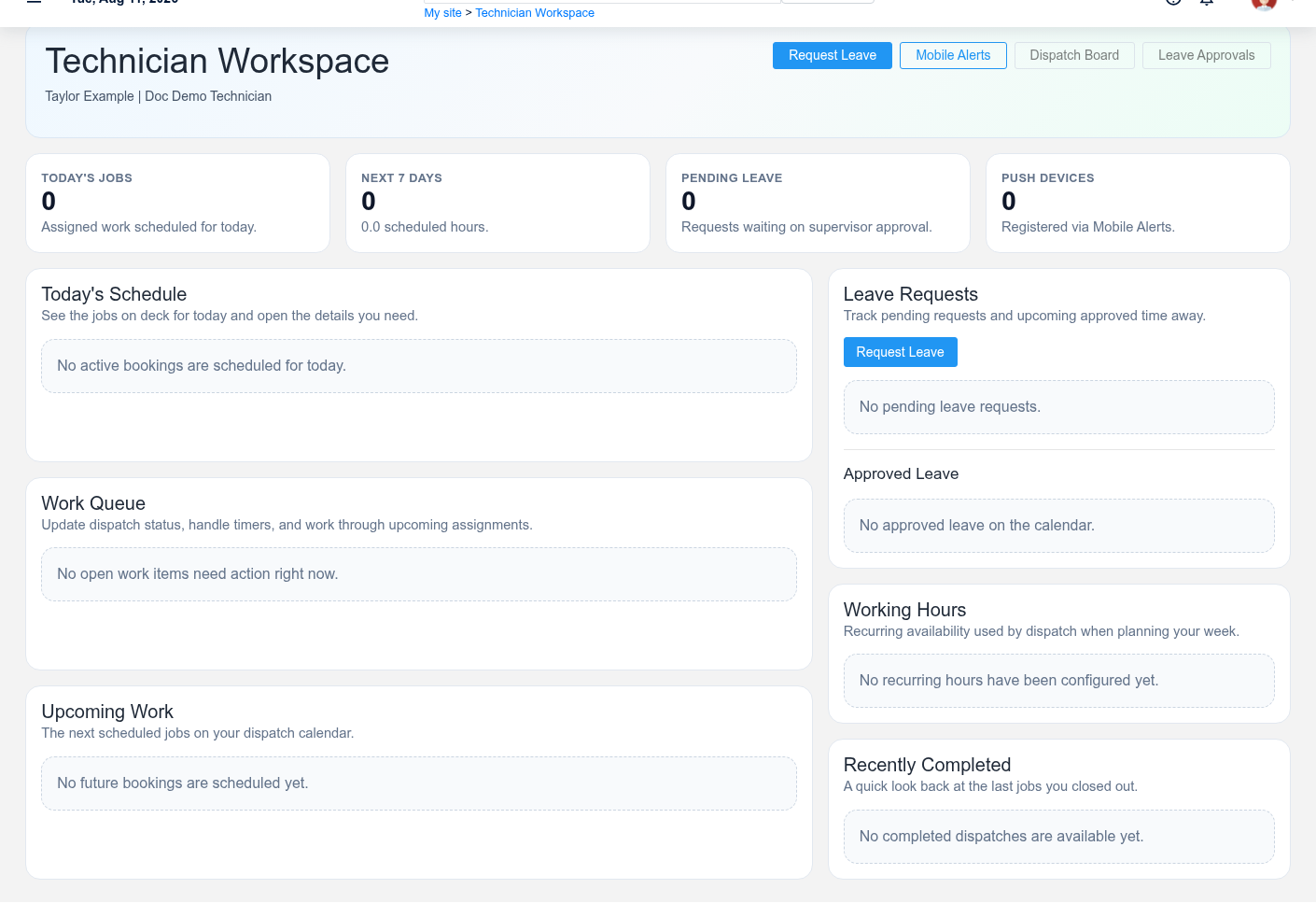
- Technician — work from Technician Workspace. Open Technician Workspace, confirm the assigned booking, then open the same Service Order. Record only actual status, time, notes, parts, and labor.
- Technician — complete the actual work. Stop the timer, write completion notes, and move status only through the offered transition. Part inventory effects depend on the supported posting/conversion event; adding a note does not consume stock.
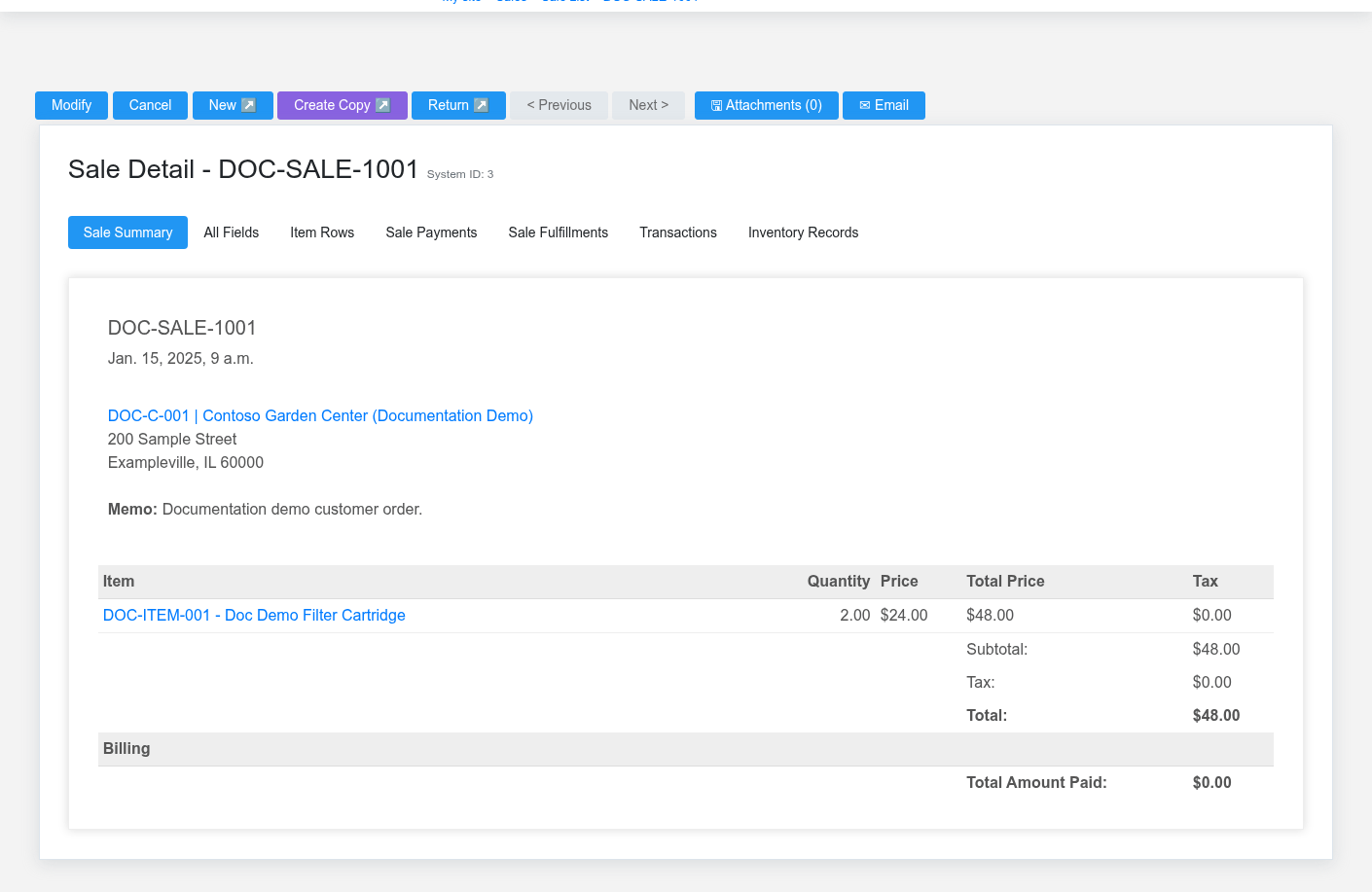
- Office — review and convert. Confirm completed scope, time, parts, labor, prices, tax, and customer authorization. Use the supported Service Order conversion to create/connect the Sale or Service Invoice; the Service Order remains the job-content source.
- Billing clerk — collect and verify. Record a safe tender or place the invoice on account. Confirm the Sale/Invoice payment state, customer history, item history, time entries, and reporting before calling the workflow paid.
What Brisk keeps connected
| Action | Result or downstream record | Where to verify it |
|---|---|---|
| Create and schedule job | Service Order plus assigned Booking | Service Order and Dispatch Board |
| Record technician work | Status, notes, time entries, parts/labor context | Service Order and Technician Workspace |
| Convert reviewed work | Linked Sale or Service Invoice | Service Order and resulting billing detail |
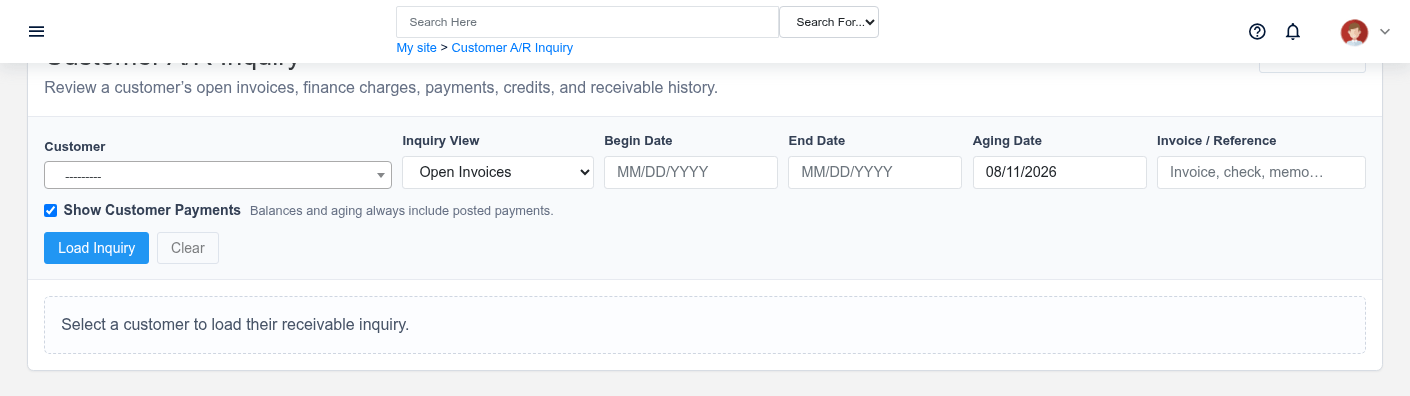
| Record payment/on-account balance | Payment or receivable history | Sale/Invoice and customer inquiry |
Handoffs and controls
The coordinator owns intake accuracy, dispatch owns assignment, the technician owns work evidence, and the office owns billing review. Scheduled, dispatched, in progress, completed, invoiced, and paid describe different events. Permission boundaries should prevent a technician from silently rewriting dispatch or accounting decisions.
Exceptions and safe corrections
- Wrong customer/equipment before work: correct the Service Order and Booking together.
- Missing part: use an honest waiting status; do not mark work completed.
- Timer left open: correct the time entry with supervisor review before billing.
- Wrong part or labor: correct reviewed job detail before conversion; use supported credit/return paths afterward.
- Payment pending or failed: keep invoiced and paid states separate and verify provider history before retrying.
No comments to display
No comments to display