
Quarters
Quarters
Purpose and when to use this record
BriskDefine storesquarterly accounting boundaries and lock completed quarters asagainst partordinary oftransaction changes.
At a glance
-
Identify it by: Parent, Opening Date, Closing Date, and Locked.
-
Check its business context: Parent.
-
Why care: Dates, accounts, amounts, posting state, and period locks can change financial reports. Verify them against the
accountingsourcemodule.documentThisbeforegeneratedfinalizingreferencethe record. -
Why care: Treat posted, processed, paid, reversed, and edit-locked states as controls—not ordinary descriptive fields. Confirm the source transaction before changing any state that the screen permits you to change.
Before you begin
You need the Brisk permission for the action you are taking on quarters. If a Create, Edit, or Delete control is awaitingabsent, workflowdo review.not work around it with another user’s account; ask an administrator to review your role.
Have valid Parent records ready first. Those selections determine where this Quarter belongs and which later screens can find it.
Create a recordQuarter
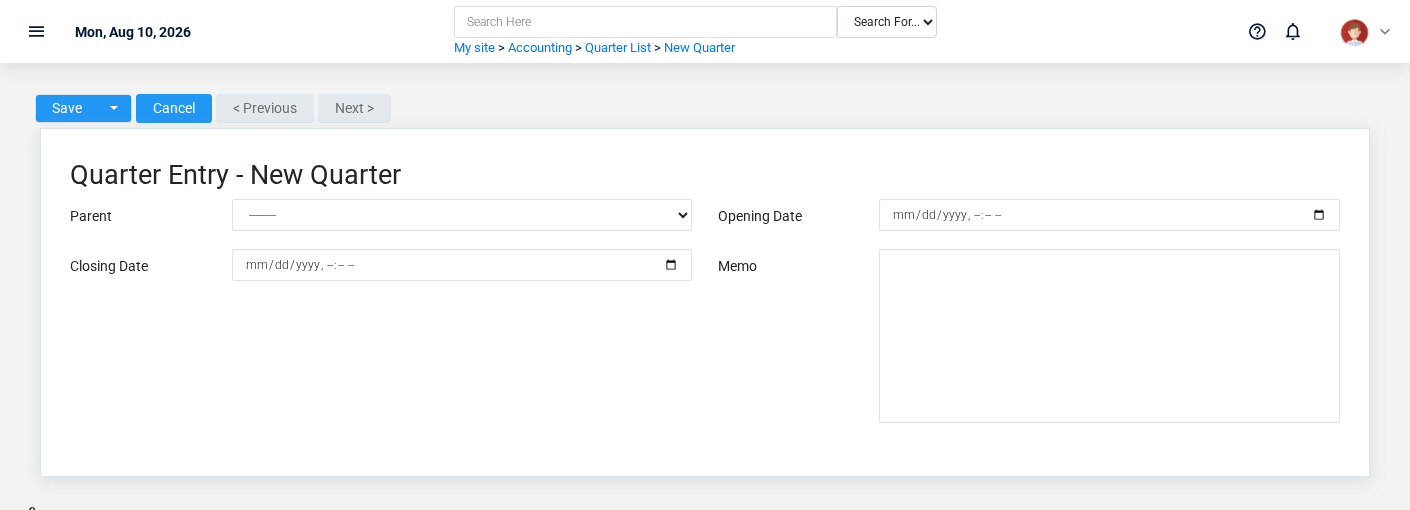
TheCreate evidencea packetQuarter identifiesafter searching for the viewperson, organization, item, location, or resource under alternate names and sourceidentifiers. locationMerge or correct an existing master record instead of creating a duplicate.
-
Select the business context first: Parent.
-
Enter the required identifying and operational values: Parent, and Opening Date.
-
Review Locked deliberately; these choices control availability or workflow rather than merely describing the record.
-
Save the Quarter, then confirm Parent, Opening Date, Closing Date, Locked, and Memo on its detail page before continuing.
After saving: Verify this Quarter in Months before staff build new activity on it; correct ownership, classification, and active state now rather than after transactions accumulate.
Delete a Quarter
Delete this Quarter only if it is an unused duplicate or setup mistake. Once other records refer to it, preserve that history and make the value inactive when the screen provides that option.
Before confirming, check for thisrelated action.Months. ConfirmBrisk user-facingmay stepsrefuse beforedeletion approvingwhen another record depends on this page.one; resolve the duplicate or use the supported correction workflow instead of breaking the trail.
On the confirmation page, verify Parent, Opening Date, Closing Date, and Locked. After confirmation, return to the Quarters list and make sure only the intended Quarter was removed.
ViewReview recordQuarter details
The evidence packet identifiesUse the viewdetail page as the shared record of what this Quarter currently means. Verify Locked before relying on it for a decision.
Follow Parent to determine whether the issue is on this Quarter or on one of those linked records.
Next check: Verify this Quarter in Months before staff build new activity on it; correct ownership, classification, and sourceactive locationstate now rather than after transactions accumulate.
Edit an existing Quarter
Edit this Quarter to keep the same real-world party, item, location, or resource accurate. Do not repurpose it for a different entity after activity is attached.
-
Open the detail page. Compare Parent with the supporting document or approved request.
-
Recheck Locked. These values are most likely to change account balances, financial periods, and statement results.
-
Save the change, return to the list, and confirm that the Quarter now appears under the expected Locked.
After the change: Verify this action.Quarter Confirmin user-facing stepsMonths before approvingstaff thisbuild page.new activity on it; correct ownership, classification, and active state now rather than after transactions accumulate.
Find and review recordsquarters
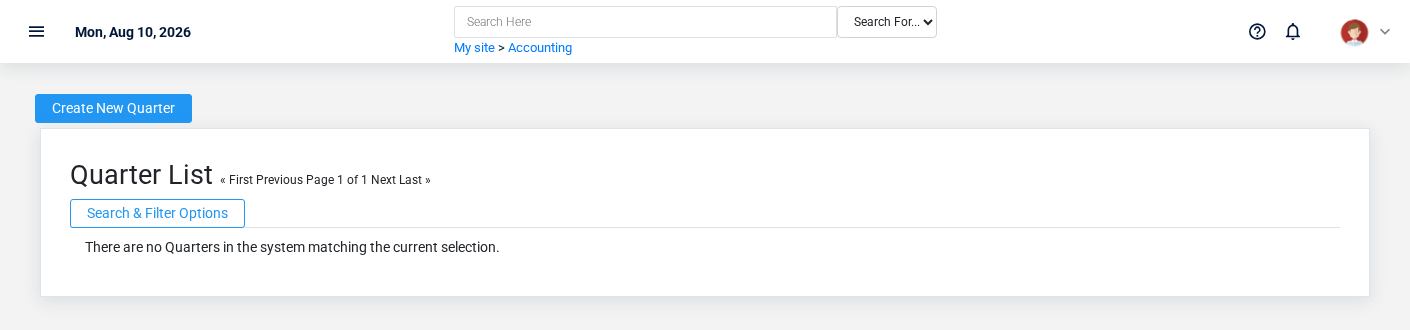
The evidence packet identifiesUse the viewQuarters list to find the correct record before opening or changing it. Compare Parent, Opening Date, Closing Date, and sourceLocked. locationRecords with similar names or numbers can still belong to different Parent.
- The initial order emphasizes Opening Date. Select a column heading when you need a different comparison.
Open the Quarter whose Parent, Opening Date, Closing Date, and Locked match the task. If it is missing, clear the list filters and recheck Locked rather than creating a replacement immediately.
Fields and business rules
Brisk stores 5 user-relevant fields for this action.Quarter, Confirmincluding user-facing1 stepslinked-record beforeselection approvingand 0 controlled-choice fields. Create and edit screens may hide calculated or workflow-managed values from this page.full reference.
Edit
| Field | Required | What |
|---|---|---|
| Parent | Yes | Parent quarter in the |
| Opening Date | Yes | Date and |
| Closing Date | No | Date and time recorded for closing date on this quarter. |
| Locked | No | Whether the locked option applies to this quarter. |
| Memo | No | The memo recorded for this |
What happens next
Verify this Quarter in Months before approvingstaff thisbuild page.new activity on it; correct ownership, classification, and active state now rather than after transactions accumulate.
DeleteCommon mistakes and troubleshooting
-
The record will not save: Recheck Parent, and Opening Date and any message beside the field. A required related record may also be inactive or unavailable to your role.
-
The record saved but is not available where expected: Recheck Locked, then clear the filters on the destination list. A saved record can still be inactive, unpublished, locked, unapproved, or in the wrong workflow state.
-
The values look right but the result is wrong: Open Parent from the detail page. Correct the specific relationship that is wrong instead of forcing a
recordtotalTheorevidencestatuspackettoidentifies the view and source locationcompensate forthis action. Confirm user-facing steps before approving this page.it.