
Reconciliations
Reconciliations
Purpose and when to use this record
BriskReconcile storesa reconciliationsbank asor partcard ofaccount to a statement ending balance, including service charges and earned interest.
At a glance
-
Identify it by: Statement Date, Service Charge Date, and Interest Date.
-
Check its business context: Account, Service Charge Account, and Interest Account.
-
Why care: Dates, accounts, amounts, posting state, and period locks can change financial reports. Verify them against the
accountingsourcemodule.documentThisbeforegeneratedfinalizingreferencethe record.
Before you begin
You need the Brisk permission for the action you are taking on reconciliations. If a Create, Edit, or Delete control is awaitingabsent, workflowdo review.not work around it with another user’s account; ask an administrator to review your role.
Have valid Account records ready first. Those selections determine where this reconciliation belongs and which later screens can find it.
Create a recordreconciliation
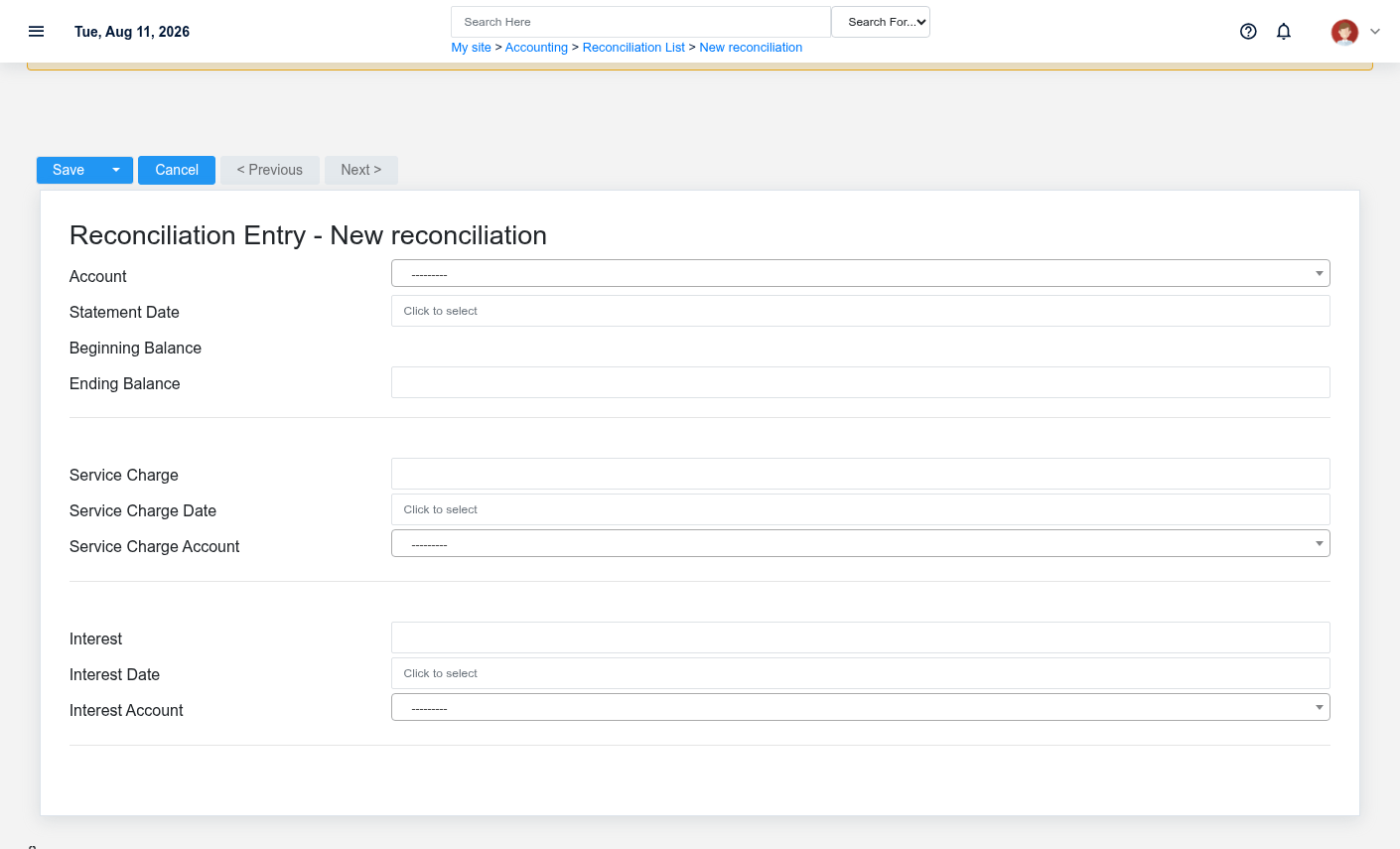
TheCreate evidencea packetreconciliation identifiesonly after confirming that the viewsource document or operational event has not already been entered.
-
Select the business context first: Account, Service Charge Account, and Interest Account.
-
Enter the required identifying and operational values: Account, and Statement Date.
-
Review Ending Balance, Service Charge, Service Charge Date, Interest, and Interest Date against the source
locationdocumentforor approved setup decision. -
Save the reconciliation, then confirm Statement Date, Service Charge Date, and Interest Date on its detail page before continuing.
After saving: Resolve any remaining difference before treating the statement as reconciled; service charges and interest should land in the selected accounts.
Edit an existing reconciliation
Edit this action.reconciliation Confirmto user-facingcorrect stepsor complete the same source document or operational event; use the supported reversal or follow-up workflow when the business event itself changed.
-
Open the detail page. Compare Account, Service Charge Account, and Interest Account with the supporting document or approved request.
-
Recheck Account, Statement Date, Ending Balance, Service Charge Date, Service Charge Account, and Interest Date, plus the remaining screen fields. These values are most likely to change account balances, financial periods, and statement results.
-
Save the change, return to the list, and confirm that the reconciliation now appears under the expected Statement Date, Service Charge Date, and Interest Date.
After the change: Resolve any remaining difference before approvingtreating thisthe page.statement as reconciled; service charges and interest should land in the selected accounts.
Find and review recordsreconciliations
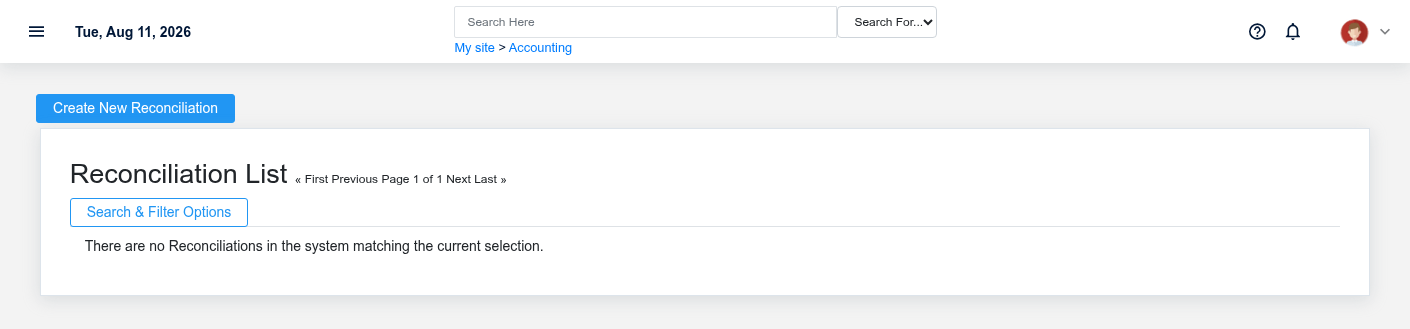
The evidence packet identifiesUse the viewReconciliations list to find the correct record before opening or changing it. Compare Statement Date, Service Charge Date, and sourceInterest locationDate. Records with similar names or numbers can still belong to different Account, Service Charge Account, and Interest Account.
- Narrow the list with Account filters.
Open the reconciliation whose Statement Date, Service Charge Date, and Interest Date match the task. If it is missing, clear the list filters and recheck Account rather than creating a replacement immediately.
Fields and business rules
Brisk stores 9 user-relevant fields for this action.reconciliation, Confirmincluding user-facing3 stepslinked-record beforeselections approvingand 0 controlled-choice fields. Create and edit screens may hide calculated or workflow-managed values from this page.full reference.
Edit
| Field | Required | What it controls |
|---|---|---|
| Account | Yes | The |
| Statement Date | Yes | Date recorded for statement date on this reconciliation. |
| Ending Balance | No | The ending balance value recorded for this |
| Service Charge | No | The total amount of any service charges on this statement. |
| Service Charge Date | No | Record the date that the service charge was levied by the bank. |
| Service Charge Account | No | Set the account that the balancing transaction for the service charges will post to. |
| Interest | No | The total amount of interest earned on this statement. |
| Interest Date | No | Record the date that the interest was deposited by the bank. |
| Interest Account | No | Set the account that the balancing transaction for the interest earned will post to. |
What happens next
Resolve any remaining difference before approvingtreating thisthe statement as reconciled; service charges and interest should land in the selected accounts.
Common mistakes and troubleshooting
-
The record will not save: Recheck Account, and Statement Date and any message beside the field. A required related record may also be inactive or unavailable to your role.
-
The values look right but the result is wrong: Open Account, Service Charge Account, and Interest Account from the detail page. Correct the specific relationship that is wrong instead of forcing a total or status to compensate for it.