
Api Credentials
Api Credentials
Purpose and when to use this record
Grant an ecommerce integration only the product, page, store, order, tracking, status, or shipping capabilities it needs.
At a glance
-
Identify it by: Name, and Allow Write Order Status.
-
Check its business context: Store.
-
Why care: Availability and publication flags affect future use without erasing history. Prefer disabling an obsolete setup record when existing transactions still refer to it.
-
Why care: Grant the smallest capability and shortest practical lifetime. Treat any generated secret as confidential; copy it at creation time and never place it in notes or screenshots.
Before you begin
You need the Brisk storespermission for the action you are taking on api credentialscredentials. asIf parta ofCreate, theEdit, ecommerceor module.Delete This generated referencecontrol is awaitingabsent, workflowdo review.not work around it with another user’s account; ask an administrator to review your role.
Have valid Store records ready first. Those selections determine where this API Credential belongs and which later screens can find it.
Create aan recordAPI Credential
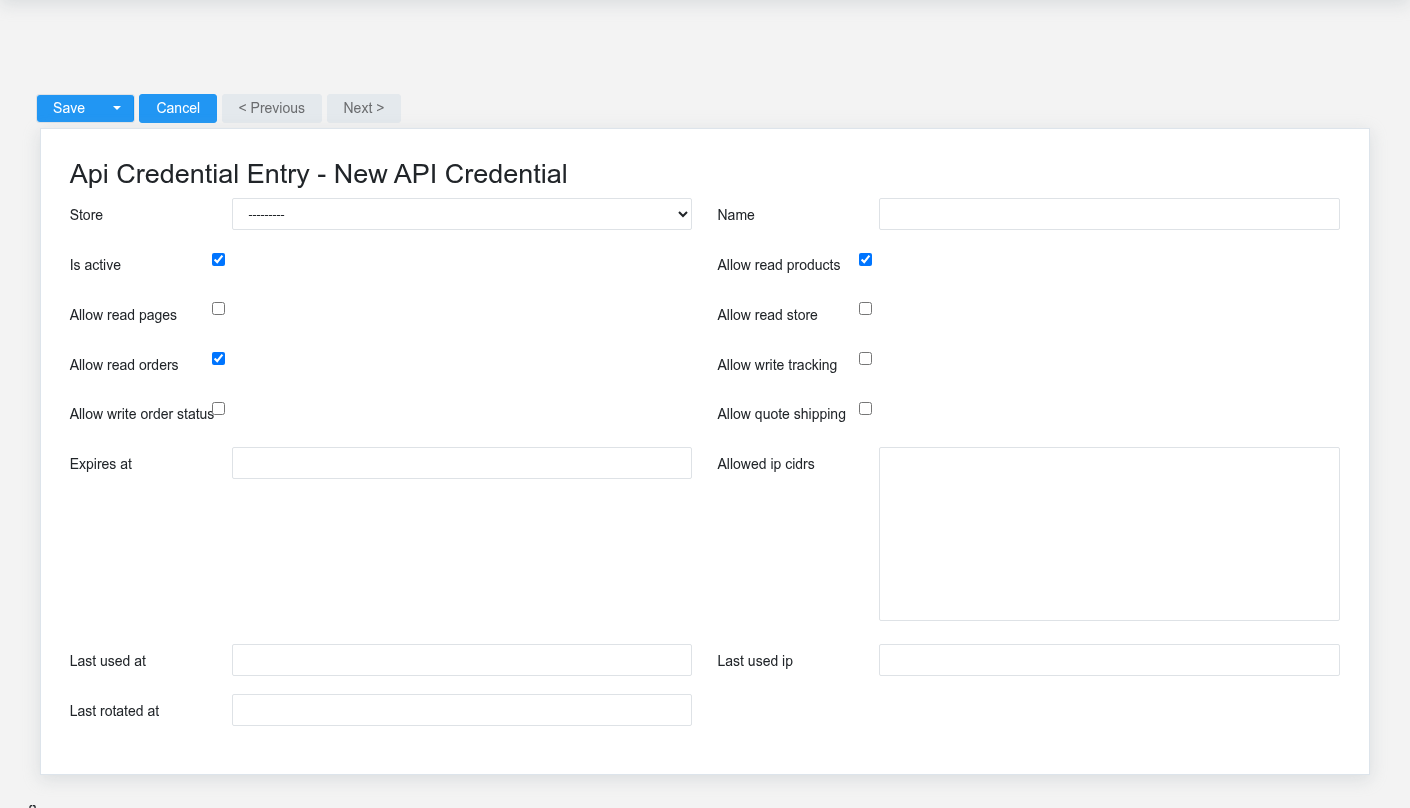
TheCreate evidencean packetAPI identifiesCredential for one identifiable integration or device. Do not share one credential across unrelated systems because revocation and audit history would become ambiguous.
-
Select the
viewbusiness context first: Store. -
Enter the required identifying and operational values: Store, and Name.
-
Review Is Active, Allow Read Products, Allow Read Pages, Allow Read Store, Allow Read Orders, and Allow Write Tracking, plus the remaining screen fields deliberately; these choices control availability or workflow rather than merely describing the record.
-
Save the API Credential, then confirm Name, and Allow Write Order Status on its detail page before continuing.
After saving: Give the generated secret only to the named client, test each granted capability, and disable the credential promptly if its source locationnetwork foror owner changes.
Delete an API Credential
Disable or revoke this action.API ConfirmCredential user-facingwhen stepsaccess beforemust approvingstop. thisDelete page.it only after its audit value is no longer needed and the integration has been moved to a replacement credential.
If the record is merely obsolete, use Is Active to remove it from future use while preserving existing references.
On the confirmation page, verify Name, and Allow Write Order Status. After confirmation, return to the API Credentials list and make sure only the intended API Credential was removed.
ViewReview recordAPI Credential details
The evidence packet identifiesUse the viewdetail page as the shared record of what this API Credential currently means. Verify Is Active, and sourceAllow locationWrite Order Status before relying on it for thisa action.decision.
Follow user-facingStore stepsto beforedetermine approvingwhether the issue is on this API Credential or on one of those linked records.
Next check: Give the generated secret only to the named client, test each granted capability, and disable the credential promptly if its source network or owner changes.
Edit an existing API Credential
Edit this API Credential to reduce access, rotate ownership, set an expiration, or disable the integration. Create a separate credential when the calling system changes.
-
Open the detail page. Compare Store with the supporting document or approved request.
-
Recheck Is Active, and Allow Write Order Status. These values are most likely to change storefront visibility, customer communication, payment, or fulfillment.
-
Save the change, return to the list, and confirm that the API Credential now appears under the expected Is Active, and Allow Write Order Status.
After the change: Give the generated secret only to the named client, test each granted capability, and disable the credential promptly if its source network or owner changes.
Find and review recordsapi credentials
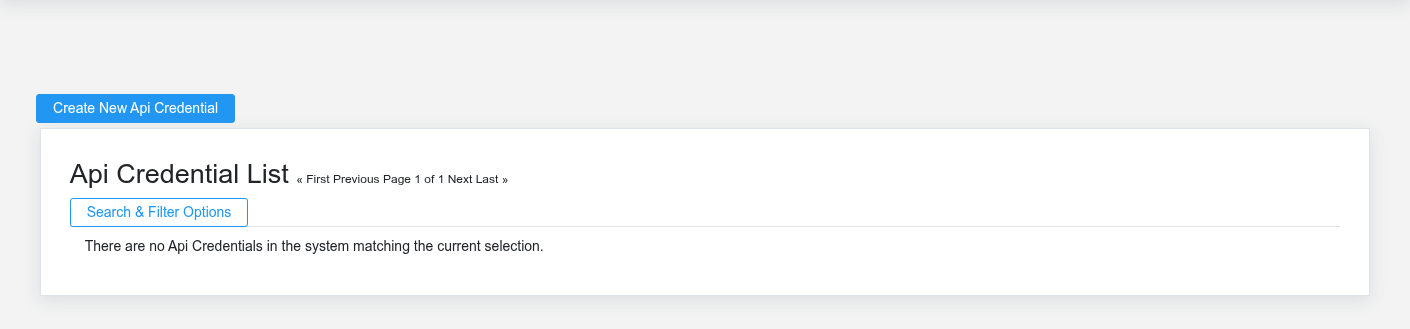
The evidence packet identifiesUse the viewApi Credentials list to find the correct record before opening or changing it. Compare Name, and sourceAllow locationWrite Order Status. Records with similar names or numbers can still belong to different Store.
-
Keyword search checks Name.
-
Narrow the list with Store filters.
-
The initial order emphasizes Name. Select a column heading when you need a different comparison.
Open the API Credential whose Name, and Allow Write Order Status match the task. If it is missing, clear the list filters and recheck Store, Is Active, and Allow Write Order Status rather than creating a replacement immediately.
Fields and business rules
Brisk stores 15 user-relevant fields for this action.API ConfirmCredential, user-facingincluding steps1 beforelinked-record approvingselection and 0 controlled-choice fields. Create and edit screens may hide calculated or workflow-managed values from this page.full reference.
Edit
| Field | Required | What it controls |
|---|---|---|
| Store | Yes | The |
| Name | Yes | Human-readable name for this |
| Is |
No | Whether this
active. |
| Allow |
No | Whether this API credential allows read products. |
| Allow Read Pages | No | Whether this API credential allows read pages. |
| Allow Read Store | No | Whether this API credential allows read store. |
| Allow Read Orders | No | Whether this API credential allows read orders. |
| Allow Write Tracking | No | Whether this API credential allows write tracking. |
| Allow Write Order Status | No | Whether this API credential allows write order status. |
| Allow Quote Shipping | No | Whether this API credential allows quote shipping. |
| Expires At | No | Date and |
| Allowed Ip Cidrs | No | Optional newline/comma-separated list of allowed IP or CIDR ranges. |
| Last Used At | No | Date and time recorded for last used at on this API credential. |
| Last Used Ip | No | The last used IP recorded for this |
| Last |
No | Date and time recorded for last rotated at on this |
What happens next
Give the generated secret only to the named client, test each granted capability, and disable the credential promptly if its source network or owner changes.
Common mistakes and troubleshooting
-
The record will not save: Recheck Store, and Name and any message beside the field. A required related record may also be inactive or unavailable to your role.
-
The record saved but is not available where expected: Recheck Is Active, and Allow Write Order Status, then clear the filters on the destination list. A saved record can still be inactive, unpublished, locked, unapproved, or in the wrong workflow state.
-
The values look right but the result is wrong: Open Store from the detail page. Correct the specific relationship that is wrong instead of forcing a total or status to compensate for it.