
Batch Sheet Printing
Batch Sheet Printing
Purpose and when to use this screen
SelectBatch Sheet Printing scales an approved item assembly/formula into shop-floor quantities and produces a PDF. It does not create or complete a manufacturing workinstance, reserve ingredients, or prove what was actually consumed and produce batch sheets for the shop floor.produced.
Print batch sheets
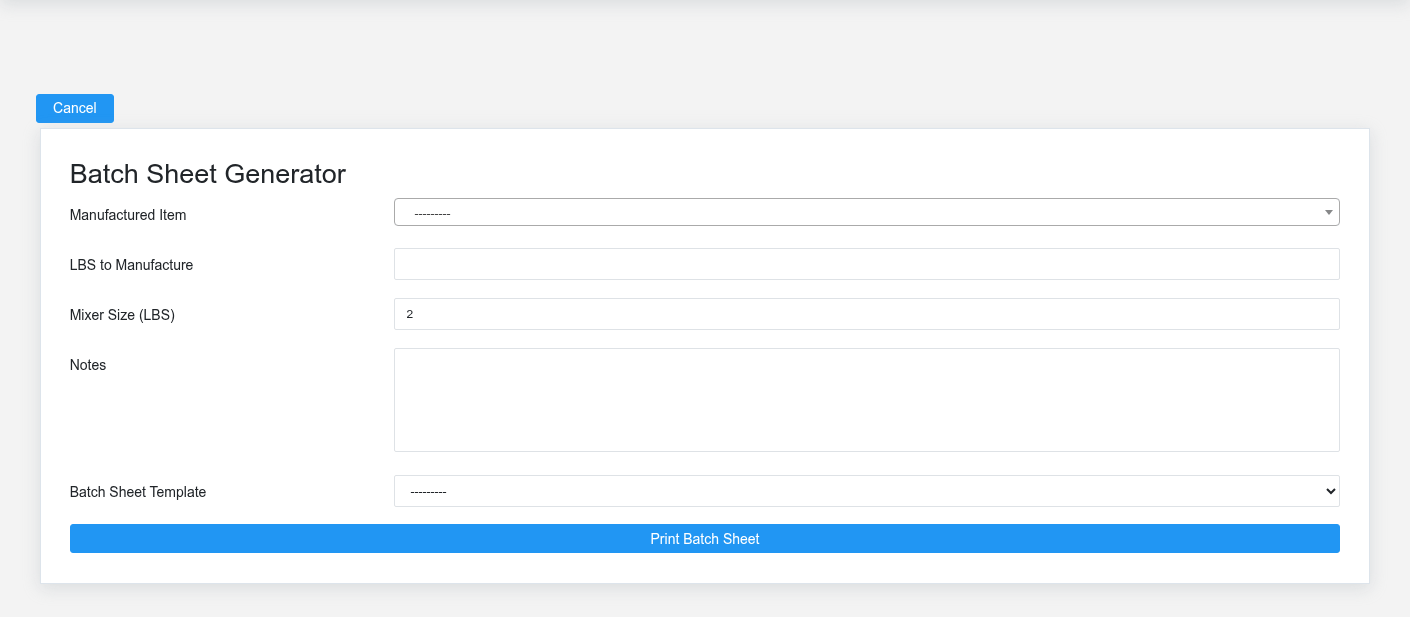
- Select the
intendedManufactured Item whose Item Assembly is approved for use. - Enter LBS to Manufacture for the total requested output.
- Confirm Mixer Size (LBS). Brisk uses the configured default, but the actual equipment limit and operating procedure should control the value.
- Add Notes that operators need for this run; do not use notes to replace formula revision control or required safety procedures.
- Select a Batch Sheet Template and submit the form to download the PDF.
How quantities are scaled
When the requested quantity is below the mixer size, Brisk creates one batch scaled from the formula’s manufactured quantity. For larger runs, it rounds the number of batches up, divides the total evenly, and scales each ingredient to that equal batch size. Review total output, number of batches, verifyper-batch quantity, units, ingredient order, and accumulated quantities andon formulas,the PDF.
Before releasing the sheet
Verify formula identity and previewrevision, manufactured unit, ingredient units, allergen or handling instructions, equipment capacity, warehouse availability, expected yield, and operator notes. A mathematically correct sheet can still be operationally wrong if the outputselected beforeformula, printing.unit, or mixer size is wrong.
Record actual production separately
After production, enter actual inputs, outputs, dates, quantities, and completion state on the Manufacturing Instance. Do not edit the formula or print a replacement sheet merely to make planned quantities resemble actual results.