
Manufacturing Price and Cost Update
Manufacturing Price and Cost Update
Purpose and when to use this screen
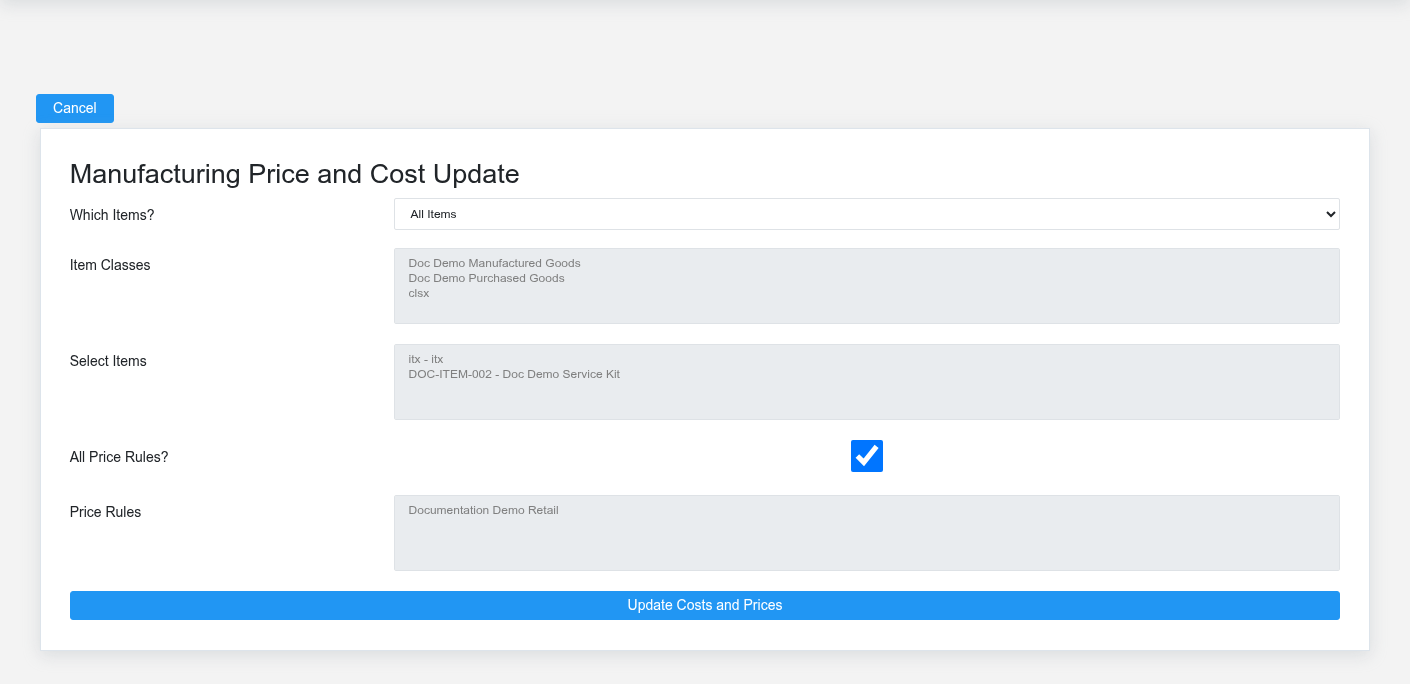
ReviewUse Manufacturing Price and Cost Update after ingredient costs, formulas, shrink, or pricing policy change and the business deliberately wants to recalculate manufactured-item costcosts and customer-class price rules. Submitting the form changes saved costs and applyprices; authorizedthe priceresult ortable costis updates.a post-update review, not a harmless preview.
Review and apply updates
Compare
- Under Which Items?, choose All Items, Selected Classes, or Selected Items. Use the narrowest scope that matches the approved change.
- If using selected classes, choose the item classes. If using selected items, choose the manufactured items/assemblies explicitly.
- Leave All Price Rules? selected only when every customer class should receive recalculated prices. Otherwise select the intended customer classes under Price Rules.
- Record or export the current costs and
calculatedpricesvalues,beforeresolvesubmittingexceptions,when the change is material. - Submit once. Brisk first updates each selected manufactured item’s cost from its blueprint ingredients, then updates the selected customer-class price rules using the item’s new cost and
applyblueprintonlyshrink. - Review Item, Rule, Prev Cost, Prev Price, Updated Cost, and Updated Price in the results.
Confirm the actual scope
Only items with manufacturing blueprints are considered. Item-class selection filters that set; individual selection uses the manufactured items attached to the selected blueprints. Customer-class selection controls which price rules are recalculated, not which customer records are edited.
Controls before a bulk update
Verify ingredient costs, formula quantities and units, expected yield, shrink, item class, and pricing policy. Run large changes in a safe environment first and have someone review representative low-, normal-, and high-cost products. Coordinate the effective date with open quotes, price schedules, ecommerce listings, and printed price material.
If a result is unexpected
Stop before rerunning. Inspect the item assembly, ingredient cost and unit, shrink, and customer-class price rule. Restore or correct the source setup through the approved changes.process; repeated bulk updates will not repair a bad formula.