
Freight Invoices
Freight Invoices
Purpose and when to use this record
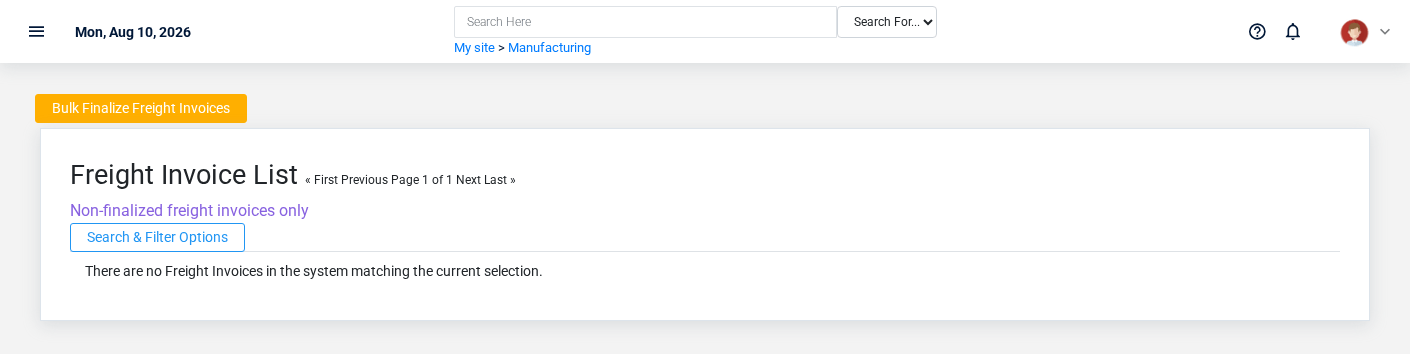
Record carrier freight charges connected to a purchase or commodity movement so the payable and landed cost can be reviewed together.
At a glance
-
Identify it by: Invoice #, Date Created, Invoice Date, Due Date, and Tonnage Report Start Date.
-
Check its business context: Vendor, Payment Terms, Tonnage State, Corn Checkoff Item, and Vendorinvoice Ptr.
-
Why care: Confirm item, formula, unit, warehouse, quantity, and production state together; mistakes can distort both material consumption and finished-goods cost.
-
Why care: Treat posted, processed, paid, reversed, and edit-locked states as controls—not ordinary descriptive fields. Confirm the source transaction before changing any state that the screen permits you to change.
Before you begin
You need the Brisk permission for the action you are taking on freight invoices. If a Create, Edit, or Delete control is absent, do not work around it with another user’s account; ask an administrator to review your role.
Have valid Vendor, Vendorinvoice Ptr, and Commodity Sale records ready first. Those selections determine where this Freight Invoice belongs and which later screens can find it.
Fields and business rules
Brisk stores freight20 invoicesuser-relevant asfields partfor this Freight Invoice, including 6 linked-record selections and 0 controlled-choice fields. Create and edit screens may hide calculated or workflow-managed values from this full reference.
| Field | Required | What it controls |
|---|---|---|
| Vendor | Yes | Please select the vendor for this invoice. |
| Invoice # | Yes | The invoice number provided by the vendor. |
| Date Created | No | The date and time that this invoice was entered into the Brisk system. |
| Invoice Date | No | Date that the vendor generated the invoice. |
| Payment Terms | No | The payment terms associated with this vendor invoice. |
| Due Date | No | Deadline date to pay this invoice, based on the payment terms. |
| Memo | No | The memo recorded for this vendor invoice. |
| Paid | No | Whether the paid option applies to this vendor invoice. |
| Posted | No | Whether the posted option applies to this vendor invoice. |
| Edit Locked | No | Whether the edit locked option applies to this vendor invoice. |
| Subtotal | No | The subtotal value recorded for this vendor invoice. |
| Discount | No | The discount value recorded for this vendor invoice. |
| Amount | Yes | The amount value recorded for this vendor invoice. |
| Tonnage State | No | Populated automatically when this vendor invoice is generated from the tonnage tax report. |
| Tonnage Report Start Date | No | Starting date of the |
| Tonnage Report End Date | No | Ending date of the tonnage report range used to generate this vendor invoice. |
| Corn Checkoff Item | No | Optional: the inventory item subject to corn checkoff for this vendor invoice. |
| Corn Checkoff Quantity | No | Quantity of the corn checkoff item in the purchase UOM. |
| Vendorinvoice Ptr | Yes | Links this Freight Invoice to the selected Vendor Invoice; verify the relationship before saving. |
| Commodity Sale | Yes | Connects this commodity invoice to a commodity sale. |
What happens next
Match the carrier charge to the commodity sale and vendor-invoice trail, then include the payable in payment and landed-cost review.
Common mistakes and troubleshooting
-
The record will not save: Recheck Vendor, Invoice #, Amount, Vendorinvoice Ptr, and Commodity Sale and any message beside the field. A required related record may also be inactive or unavailable to your role.
-
The record saved but is not available where expected: Recheck Paid, Posted, and Edit Locked, then clear the filters on the destination list. A saved record can still be inactive, unpublished, locked, unapproved, or in the wrong workflow state.
-
The values look right but the result is wrong: Open Vendor, Payment Terms, Tonnage State, Corn Checkoff Item, Vendorinvoice Ptr, and Commodity Sale from the detail page. Correct the specific relationship that is wrong instead of forcing a total or status to compensate for it.