
Payment Subscriptions
Payment Subscriptions
Purpose and when to use this record
PublicationReview a provider-managed recurring subscription's customer, plan, amount, cadence, status, vault reference, and gateway identifier. These records are read-only in progress.Brisk-managed billing mode.
At a glance
-
Identify it by: Status, and Start Date.
-
Check its business context: Customer, and Payment Plan.
-
Why care: Customer, source document, amount, authorization, processor status, and settlement are separate controls. Verify all of them before retrying or treating a payment as complete.
-
Why care: Status communicates workflow progress to other staff. Change it only when the underlying work, approval, payment, or handoff has actually occurred.
Before you begin
You need the Brisk permission for the action you are taking on payment subscriptions. If a Create, Edit, or Delete control is absent, do not work around it with another user’s account; ask an administrator to review your role.
Have valid Customer records ready first. Those selections determine where this Payment Subscription belongs and which later screens can find it.
Why Create is unavailable
The Create route deliberately returns to the list. Brisk does not create autonomous gateway subscriptions from this generic record. For repeating sales, use the Sales Subscription workflow and add the customer's payment method through its secure setup link. For collection against an existing account balance, use a Customer Receivable Payment Plan.
Delete a Payment Subscription
Delete this Payment Subscription only when it was entered by mistake and no downstream history depends on it. Preserve the gateway request and result; void, refund, cancel, or replace it through the supported processor-aware workflow.
On the confirmation page, verify Status, and Start Date. After confirmation, return to the Payment Subscriptions list and make sure only the intended Payment Subscription was removed.
Review Payment Subscription details
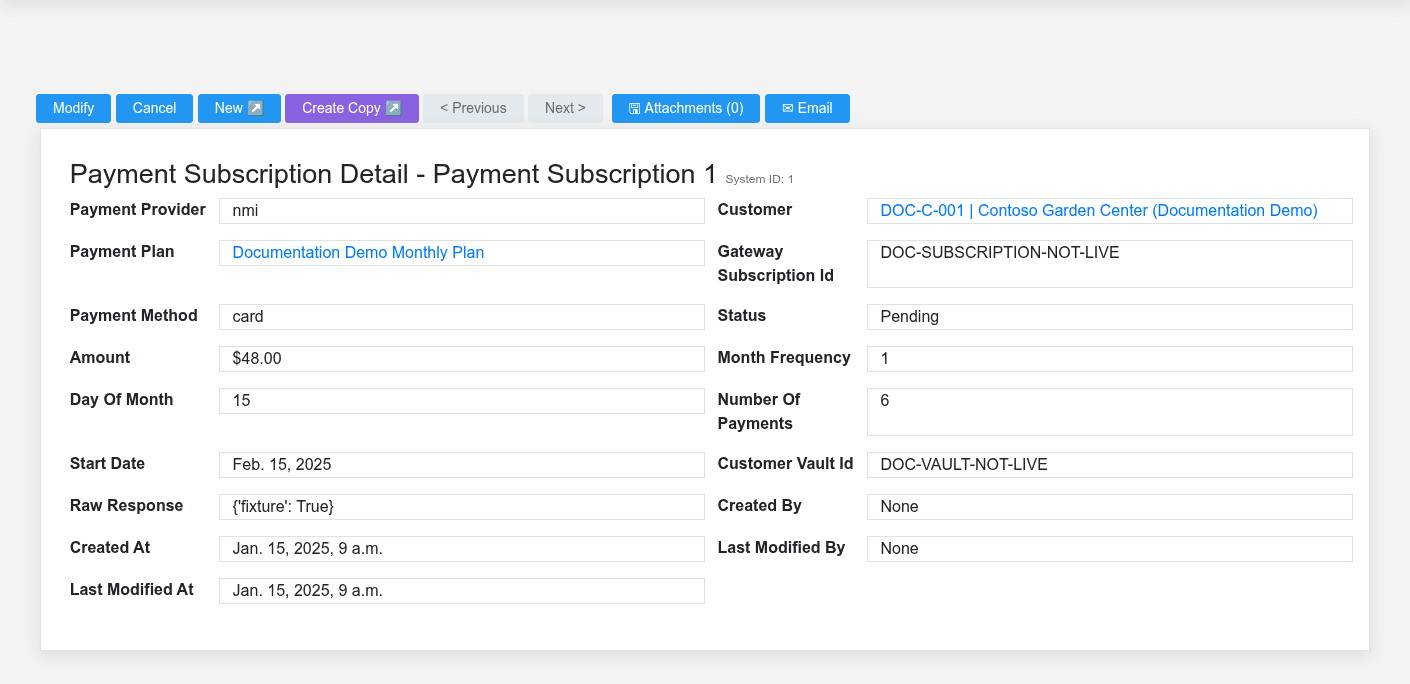
Use the detail page as the shared record of what this Payment Subscription currently means. Verify Payment Provider, Payment Method, Status, Amount, and Start Date before relying on it for a decision.
Follow Customer, and Payment Plan to determine whether the issue is on this Payment Subscription or on one of those linked records.
Next check: Monitor the next-run date and every generated payment; resolve processor failures without creating a second active subscription for the same obligation.
Why editing is unavailable
The Edit route returns to the list because the record is a provider-managed reference. Never change Gateway Subscription ID, Customer Vault ID, status, or cadence directly to force Brisk to match an assumption. Compare the record with the processor and the related Brisk Sales Subscription, then cancel, replace, or correct it through the authoritative workflow. Before creating any replacement, verify that the former subscription cannot still collect.
Find and review payment subscriptions
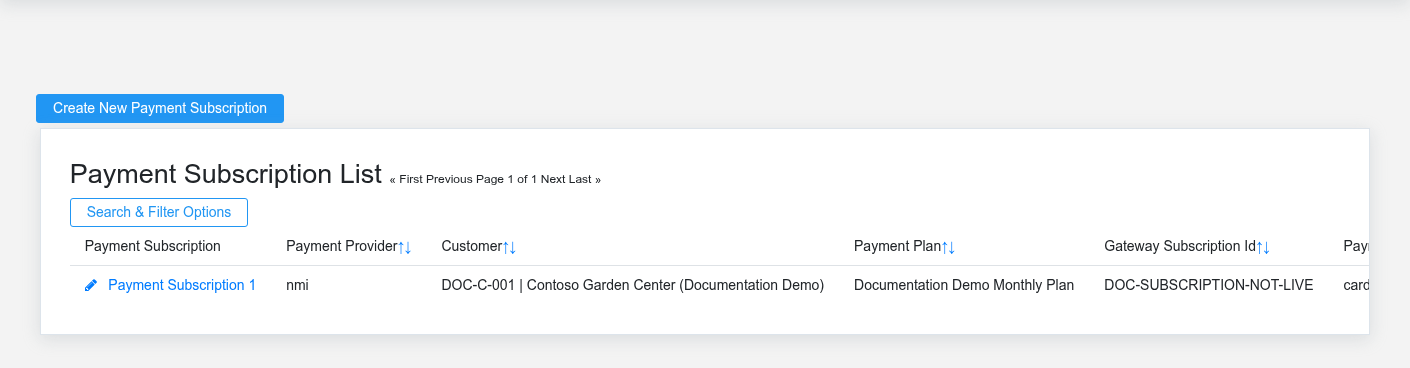
Use the Payment Subscriptions list to find the correct record before opening or changing it. Compare Status, and Start Date. Confirm its context with Customer, and Payment Plan.
Open the Payment Subscription whose Status, and Start Date match the task. If it is missing, clear the list filters and recheck Payment Provider, Payment Method, and Status rather than creating a replacement immediately.
Fields and business rules
Brisk stores 13 user-relevant fields for this Payment Subscription, including 2 linked-record selections and 2 controlled-choice fields. Create and edit screens may hide calculated or workflow-managed values from this full reference.
| Field | Required | What it controls |
|---|---|---|
| Payment Provider | No | The payment provider recorded for this payment subscription. Available values: NMI, eBizCharge. |
| Customer | Yes | Links this Payment Subscription to the selected Customer; verify the relationship before saving. |
| Payment Plan | No | Links this Payment Subscription to the selected Payment Plan; verify the relationship before saving. |
| Gateway Subscription Id | No | The gateway subscription id recorded for this payment subscription. |
| Payment Method | No | The payment method recorded for this payment subscription. Available values: Credit/Debit Card, eCheck/ACH. |
| Status | No | Current status of this payment subscription. |
| Amount | No | The amount value recorded for this payment subscription. |
| Month Frequency | No | The month frequency value recorded for this payment subscription. |
| Day Of Month | No | The day of month value recorded for this payment subscription. |
| Number Of Payments | No | The number of payments value recorded for this payment subscription. |
| Start Date | No | Date recorded for start date on this payment subscription. |
| Customer Vault Id | No | The customer vault id recorded for this payment subscription. |
| Raw Response | No | Structured raw response data stored for this payment subscription. |
What happens next
Use the gateway ID and customer context to reconcile legacy provider activity. Operate current recurring billing through Sales Subscriptions or Customer Receivable Payment Plans, as appropriate.
Common mistakes and troubleshooting
-
The record will not save: Recheck Customer and any message beside the field. A required related record may also be inactive or unavailable to your role.
-
The record saved but is not available where expected: Recheck Payment Provider, Payment Method, and Status, then clear the filters on the destination list. Those controls determine payment authorization, collection timing, customer balances, and settlement review even when the other fields saved successfully.
-
The values look right but the result is wrong: Open Customer, and Payment Plan from the detail page. Correct the specific relationship that is wrong instead of forcing a total or status to compensate for it.