
Work Period Reports
Work Period Reports
Purpose and when to use this screen
RunWork date-rangePeriod Reports provides accounting and operating reports for completeda workuser-defined periodsdate range. Use it for close review, management analysis, and reviewsupporting theirdetail scopewhen beforethe relyingbuilt-in onperiod totals.buttons do not match the business question. It reads saved transactions; it does not close a period or correct the source data.
Run a work-period report
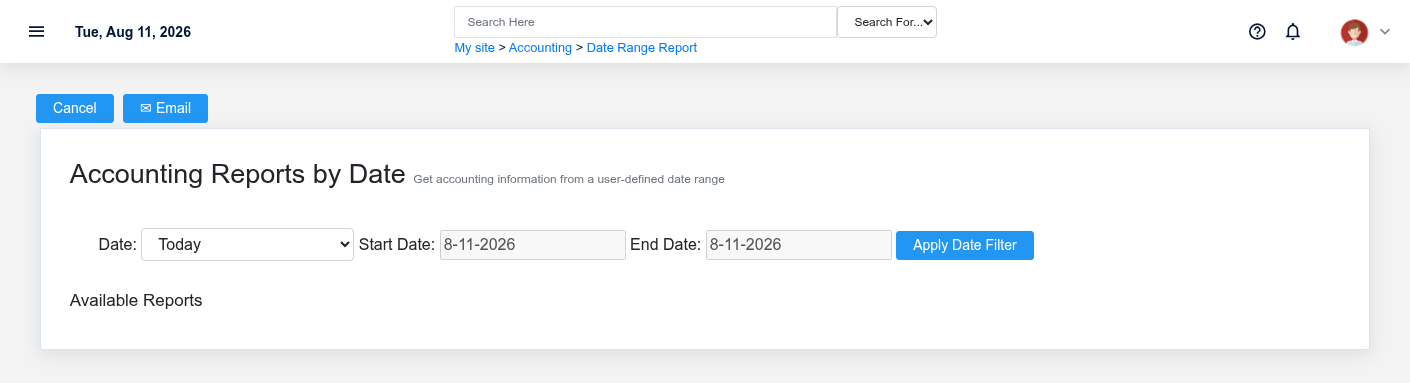
- Set the beginning and ending dates/times that define the intended business cutoff.
- Select Apply Date Filter before choosing from Available Reports so each report receives the same scope.
- Open the report that matches the question rather than selecting one because its total “looks right.” Date-range output can include sales/tender activity, customer credits, payouts, item rows, and other operating records depending on the selected report.
- Confirm the displayed range, warehouse or division context, transaction states, and whether voided, returned, unpaid, or unposted activity is included.
- Print, export, or email only after reconciling material totals to the corresponding list or register.
Choose a defensible cutoff
Use local business time and respect the exact close boundary, especially around midnight, overnight operations, and backdated corrections. A calendar date range andis not automatically the same as one or more Work Periods. If the report options,supports thena confirmclose decision, compare the includedchosen workrange periodswith the open/close timestamps on those periods.
Sharing reports
The email action sends business data outside the immediate screen. Verify recipient, subject, attachment/output, and authorization before usingsending. Treat customer, employee, sales, and payment information according to company policy.
When totals do not agree
Check range boundaries, warehouse/division, status and tender filters, later voids/returns, backdated entries, and whether the output.comparison report uses posting date or transaction date. Correct the source transaction or rerun with the proper scope; do not edit a period simply to force two unlike reports to match.