
Local Workstation Setup
Local Workstation Setup
Purpose and when to use this screen
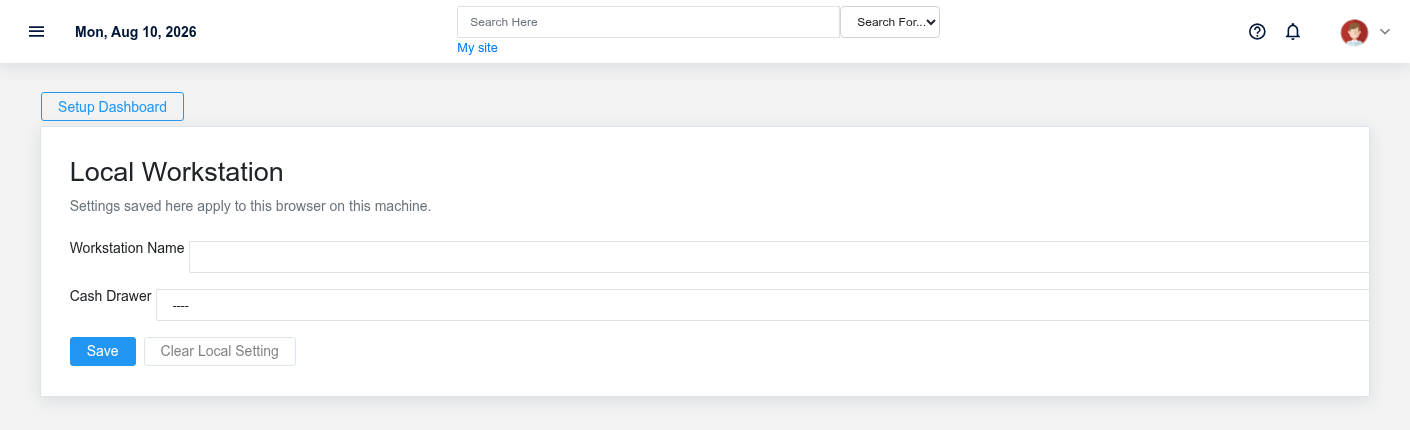
ConfigureLocal browser-Workstation Setup stores Point of Sale identity and cash-drawer selection in this browser on this machine. Use it for a fixed register, shared counter computer, or workstation-specificbrowser Briskprofile behaviorthat forshould consistently identify itself. These values do not follow the currentuser to another browser or device.
Configure this workstation
Apply
- Enter a short, recognizable Workstation Name, such as
Front Counter 1orService Desk. - If multi-cash-drawer support is enabled, select the
device-specificCashoptionsDrawerrequiredphysicallyforused by this register. - Select Save and confirm the success status.
- Open Point of Sale and verify that the expected workstation/drawer context appears before accepting cash.
Brisk saves the workstation name and drawer identifier in browser-local storage and synchronizes the selected drawer through the workstation endpoint. It also recognizes the older invoice cash-drawer browser key so an existing register can migrate without silently losing its selection.
Clear or replace the local setting
Use Clear Local Setting before repurposing the machine, changing the register’s physical drawer, deleting the browser profile, or handing the device to another location. Then save the new identity and test it. Clearing browser site data outside Brisk also removes these local values.
Cash-control implications
The selected drawer affects how cash activity is attributed and later reconciled. Do not select a convenient drawer that is physically elsewhere. If multi-drawer support is disabled, the affecteddrawer hardwarecontrol orand workflow.Save action are unavailable; an administrator must enable and configure the feature rather than using browser tools to force a value.
If the selection does not persist
Confirm the browser allows local storage, the page is not in a temporary/private session, and the user can access the selected drawer. Clear the setting, reload, save again, and verify in Point of Sale. Treat shared browser profiles and automated browser cleanup as workstation configuration risks.