
Navigation Menus
Navigation Menus
Purpose and when to use this record
Configure which Brisk storesmodule groups and favorites appear in a named navigation menusmenu.
At parta ofglance
-
Identify it by: Name.
-
Why care: Setup changes can alter navigation, alerts, and authorization for many users. Test the
setupeffectmodule.withThisthegeneratedintendedreferencerole or device before broad use.
Before you begin
You need the Brisk permission for the action you are taking on navigation menus. If a Create, Edit, or Delete control is awaitingabsent, workflowdo review.not work around it with another user’s account; ask an administrator to review your role.
Create a recordNavigation Menu
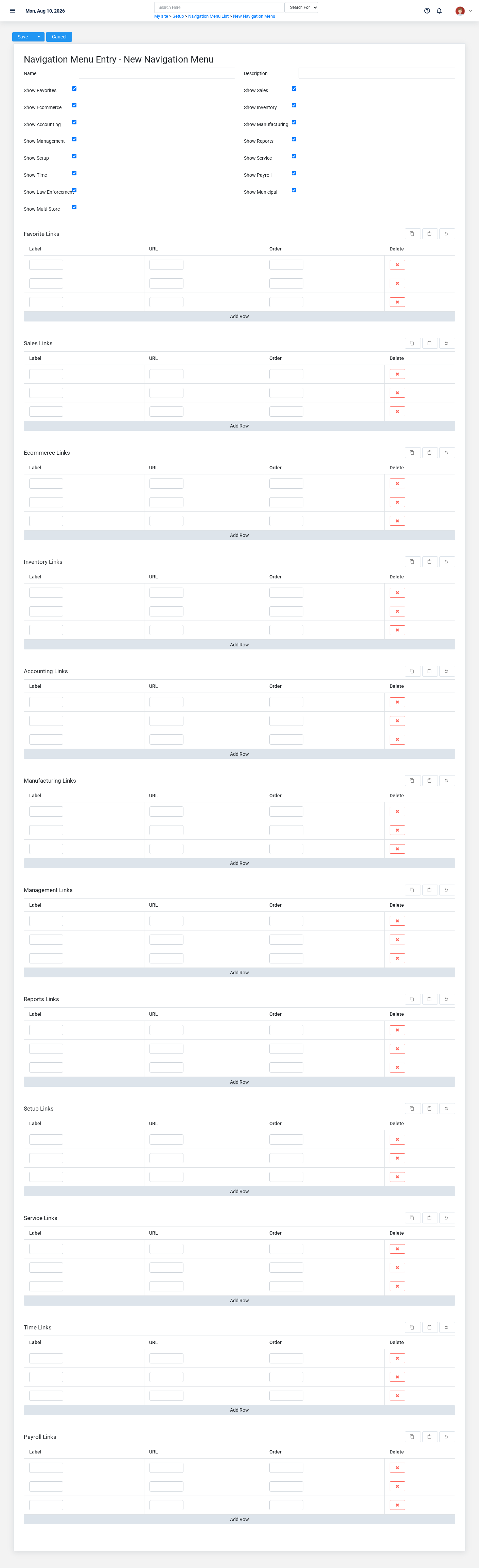
-
Select the business context first.
-
Enter the required identifying and operational values: Name.
-
Review Show Favorites, Show Sales, Show Ecommerce, Show Inventory, Show Accounting, and Show Manufacturing, plus the remaining screen fields deliberately; these choices control availability or workflow rather than merely describing the record.
-
Save the Navigation Menu, then confirm Name on its detail page before continuing.
After saving: Open Menu Links and confirm the Navigation Menu appears with the intended label and availability. Keep the old value for thishistorical action.records Confirmwhen user-facingchanging stepsit beforewould approvingsplit or relabel prior reporting.
Delete a Navigation Menu
Before confirming, check for related Menu Links. Brisk may refuse deletion when another record depends on this one; resolve the duplicate or use the supported correction workflow instead of breaking the trail.
On the confirmation page, verify Name. After confirmation, return to the Navigation Menus list and make sure only the intended Navigation Menu was removed.
ViewReview recordNavigation Menu details
The evidence packet identifiesUse the viewdetail page as the shared record of what this Navigation Menu currently means. Verify Name, Description, Show Favorites, and sourceShow locationSales before relying on it for thisa action.decision.
Next check: Open Menu Links and confirm the Navigation Menu appears with the intended label and availability. Keep the old value for historical records when changing it would split or relabel prior reporting.
Edit an existing Navigation Menu
-
Open the detail page. Compare Name with the supporting document or approved request.
-
Recheck Show Accounting. These values are most likely to change navigation, notifications, access, and other users’ behavior.
-
Save the change, return to the list, and confirm that the Navigation Menu now appears under the expected Name.
After the change: Open Menu Links and confirm the Navigation Menu appears with the intended label and availability. Keep the old value for historical records when changing it would split or relabel prior reporting.
Find and review recordsnavigation menus
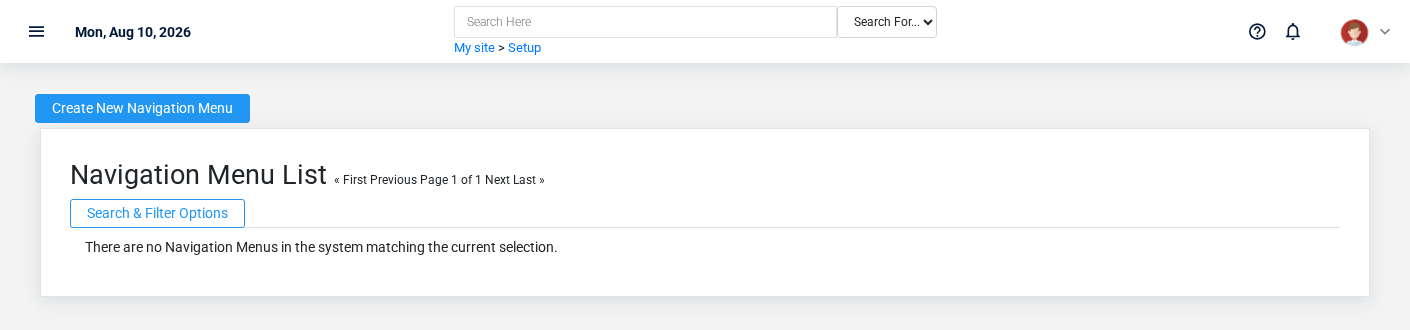
- The initial order emphasizes Id. Select a column heading when you need a different comparison.
Fields and business rules
Brisk stores 17 user-relevant fields for this action.Navigation ConfirmMenu, user-facingincluding steps0 beforelinked-record approvingselections and 0 controlled-choice fields. Create and edit screens may hide calculated or workflow-managed values from this page.full reference.
Edit
| Field | Required | What |
|---|---|---|
| Name | Yes | Human-readable name for this |
| Description | No | Leave any notes about this |
| Show Favorites | No | Show or hide the favorites submenu. |
| Show Sales | No | Show or hide the sales submenu. |
| Show Ecommerce | No | Show or hide the ecommerce submenu. |
| Show Inventory | No | Show or hide the inventory submenu. |
| Show Accounting | No | Show or hide the accounting submenu. |
| Show Manufacturing | No | Show or hide the manufacturing submenu. |
| Show Management | No | Show or hide the management submenu. |
| Show Reports | No | Show or hide the reports submenu. |
| Show Setup | No | Show or hide the setup submenu. |
| Show Service | No | Show or hide the service submenu. |
| Show Time | No | Show or hide the time submenu. |
| Show Payroll | No | Show or hide the payroll submenu. |
| Show Law Enforcement | No | Show or hide the law enforcement submenu. |
| Show Municipal | No | Show or hide the municipal submenu. |
| Show Multi-Store | No | Show or hide the multi-store submenu. |
What happens next
DeleteCommon amistakes and troubleshooting
-
The record
Thewillevidencenotpacketsave:identifiesRecheck Name and any message beside theviewfield.andA required related record may also be inactive or unavailable to your role. -
The values look right but the result is wrong: Compare this Navigation Menu with the source
locationdocumentfororthisapprovedaction.setupConfirmdecision,user-facingthenstepscheckbeforetheapprovingdownstreamthisscreenpage.where it is used.