
Point of Sale
Point of Sale
Purpose and when to use this screen
Build, review, and finalize customer sales from the Point of Sale workspace.is the cashier workspace for selecting a customer, scanning or searching items, applying permitted pricing and tax behavior, accepting tender, printing receipts, and handling foodservice tickets or customer-account payments. Finalizing creates business and accounting effects; the cart is the last safe place to correct ordinary entry mistakes.
Work in Point of Sale
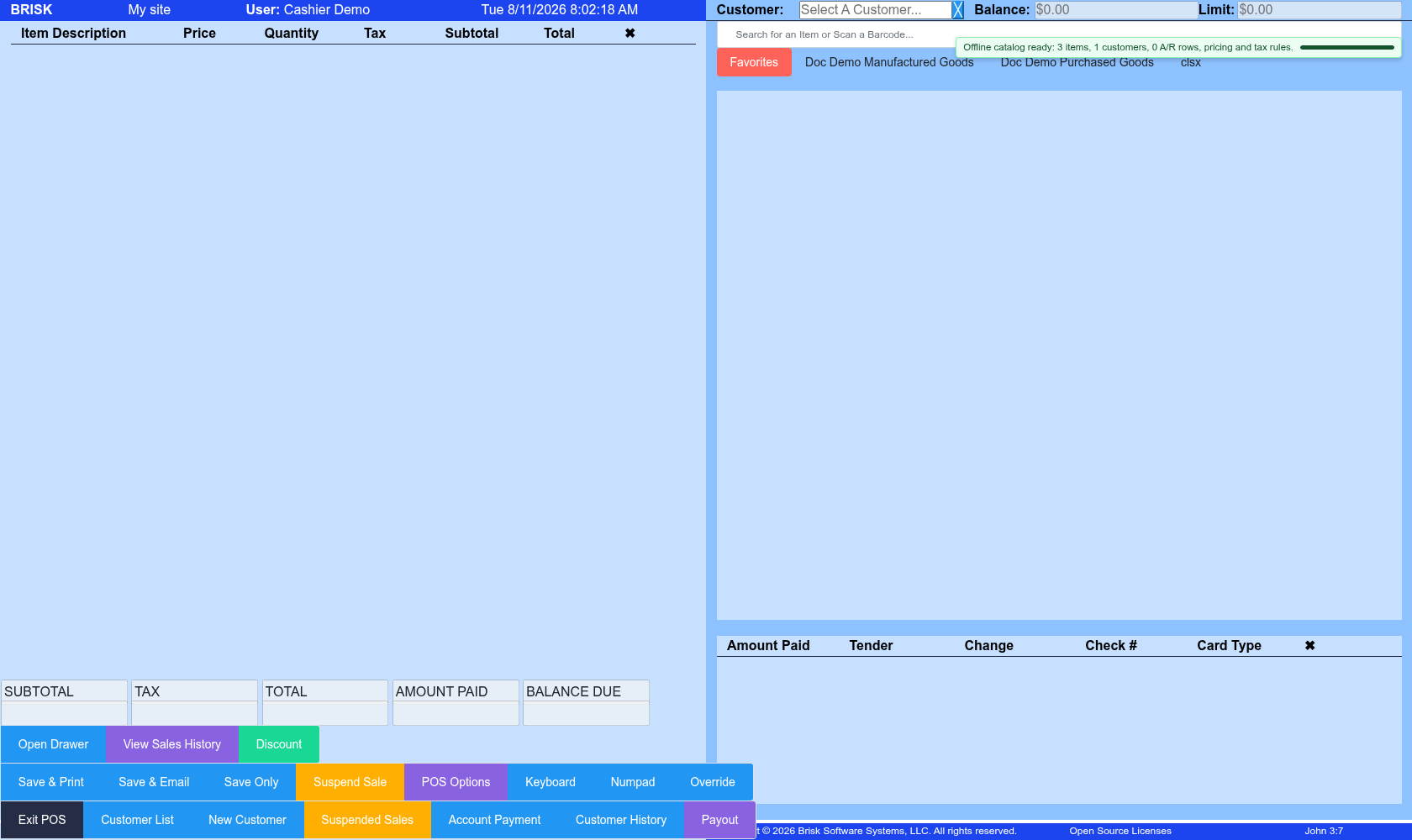
- Confirm the workstation and Cash Drawer, when shown. The drawer should match the physical till that will be reconciled.
- Select the customer
andbeforeitems,relyingverifyonquantitiespriceandclass,prices,taxandcode,reviewcreditpaymentlimit, account balance, or fulfillment defaults. Use the correct cash/walk-in customer when identity is not required. - Search or scan each item. Verify description, unit, quantity, price, discount, tax, options, and fulfillment
detailsbehavior on every row. - For foodservice, confirm ticket/order type, table, server, guest count, notes, options, and whether kitchen or shelf tickets have been printed.
- Review subtotal, discount, tax, total, and customer/account context before
finalizing.opening payment. - Select the actual tender and enter reference/check/card information as required. Do not mark a payment successful until Brisk and the terminal/processor agree.
- Finalize once, read the confirmation, and provide the intended receipt.
Pause or recover a sale
Use Suspended Sales for an unfinished live ticket that should be resumed later. Use the Offline POS Queue only when connectivity caused a browser-local ticket. Search live sales before retrying uncertain work so a delayed response does not become a duplicate charge or sale.
Customer account payments
In the account-payment dialog, confirm customer, balance, amount, tender, check/reference or card type, memo, and invoice applications. Auto Apply is a convenience; review how the amount is distributed and whether any remainder should stay unapplied before saving.